
IgniteAI Tools in Canvas
What IgniteAI features are available now in Canvas?
Starting Spring 2026, Canvas now includes a set of optional IgniteAI tools designed to support teaching and learning directly within the LMS. These features bring AI assistance into familiar Canvas workflows to help streamline common tasks, improve communication, and surface learning insights. Faculty have the option to enable or disable these features in their own courses via Settings > Feature Options.
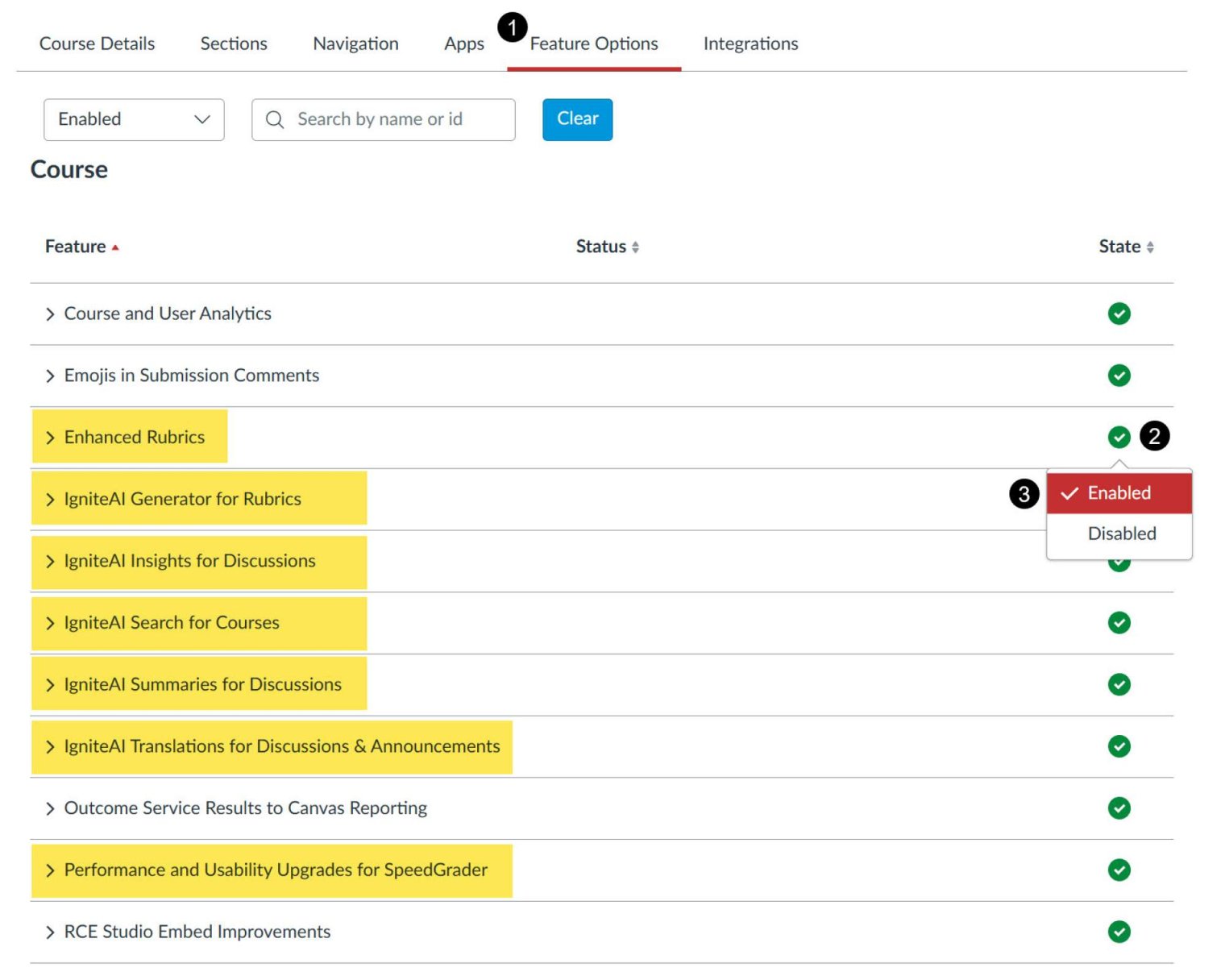
- Click on "Settings" in your course menu then click on the "Feature Options" tab.
- To enable the desired IgniteAI feature, click the feature’s State icon.
- "Enable" the the desired IgniteAI feature option.
IgniteAI features
- IgniteAI Search: An AI-enhanced course search in Canvas that lets students and instructors find content using natural, “meaning-based” queries, not just exact keywords.
(IgniteAI Search Guide | IgniteAI Search Nutrition Facts) - IgniteAI Translations (Discussions and Announcements): Allows faculty and students to translate Canvas text in place, supporting multilingual participation without leaving Canvas.
(IgniteAI Translations Guide | IgniteAI Translations Nutrition Facts) - IgniteAI Translations (Canvas Inbox): Translates private Canvas Inbox messages in place.
(IgniteAI Translations Guide | IgniteAI Translations Nutrition Facts) - IgniteAI Summaries for Discussions: Lets an instructor generate a quick AI-written recap of a discussion thread right inside Canvas.
(IgniteAI Summaries for Discussions Guide | IgniteAI Summaries for Discussions Nutrition Facts)
Note: With the exception of Translations for Canvas Inbox, all tools must be enabled by faculty on the course level.