Student Guide: How to Access Poll Everywhere In-class Polls
Poll Everywhere allows you to participate in live polls, answer questions, and engage in classroom activities during your class sessions. This guide will show you how to access your instructor's Poll Everywhere activities using your Montclair account so you can participate quickly and easily from your computer or mobile device.
How to Access Poll Everywhere In-class Polls (Students)
Note: If you are using a mobile device you should download the Poll Everywhere app before completing the steps below.
How to Access Poll Everywhere In-class via Poll Everywhere App
Once you have downloaded the Poll Everywhere app, do the following:
- Click the Settings icon and log in with your Montclair email address (netid@montclair.edu).
- Click the “Log in to Montclair State University” button which will take you to Montclair’s Single Sign On (SSO) system, where you will validate your account through the Google Authenticator App. The same system you use to log into Canvas or Nest.
- Once logged in, click the Home icon then enter the classroom code your instructor has provided to join the in-class poll.
If you are not using the Poll Everywhere app please follow the steps below for accessing Poll Everywhere via desktop or web.
-
Access Poll Everywhere In-class Polls via Desktop or Web
- Option 1: Go to www.pollev.com and enter the classroom code your instructor has provided.
OR
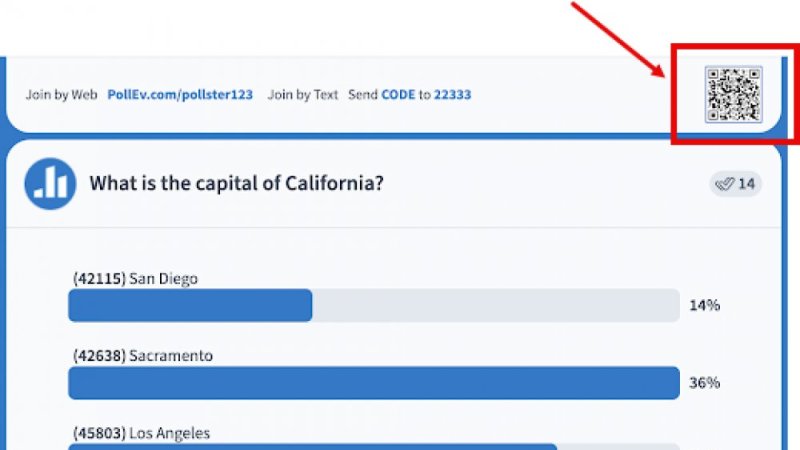
- Option 2: Scan the QR code on upper right of your instructor’s slide.
-
Step 2: Getting Access
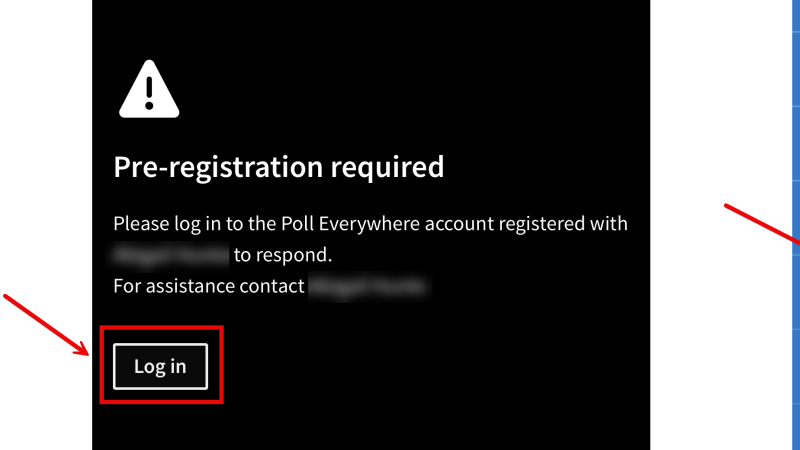
The polls for your class are only accessible for students enrolled in the course. When you attempt to access a poll you will see the following screen:
Click Log In then enter your Montclair email address: netid@montclair.edu.
-
Step 3: Logging In
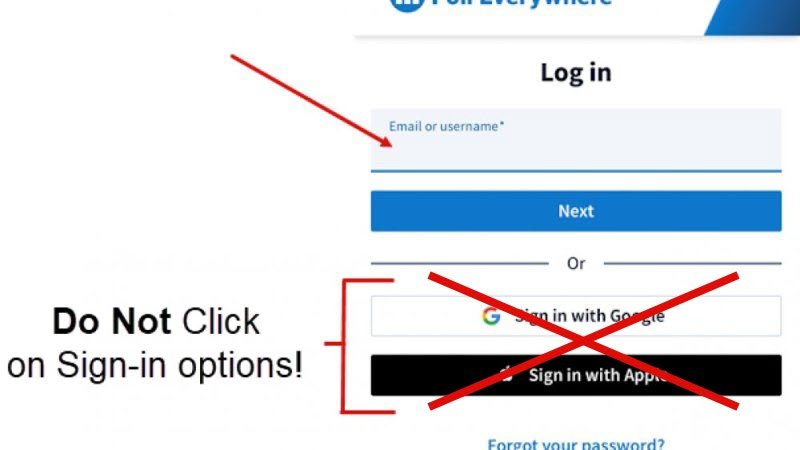
After you click on “Log In” you will see a Log in screen. You should enter your Montclair email address (netid@montclair.edu) in the email or username* field.
Your Montclair email address must be entered in the following format:
netid@montclair.edu
-
Step 4: Validating Your Account
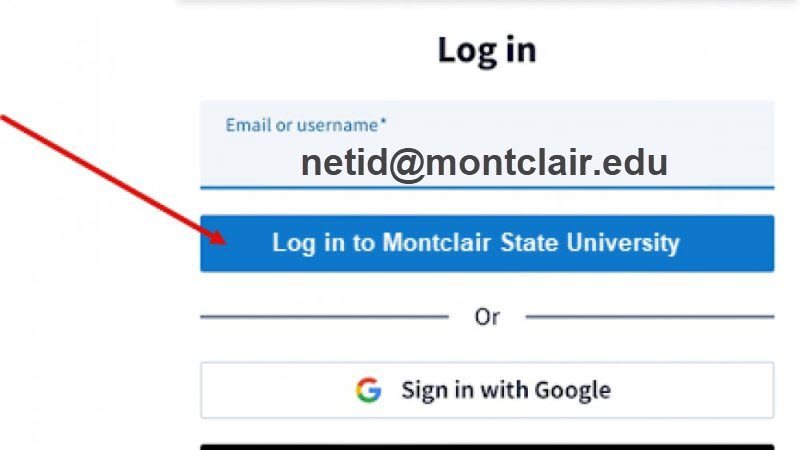
After you enter your email address using the @montclair.edu format, the blue “Next” button will change to “Log in to Montclair State University.”
Click the “Log in to Montclair State University” button which will take you to Montclair’s Single Sign On (SSO) system, where you will validate your account through the Google Authenticator App. The same system you use to log into Canvas or Nest.
If you have specific questions about Multi Factor Authentication (MFA), please see the Montclair IT Student Multi Factor Authentication FAQs website.
*Created in collaboration with Lauren Covey