Simple Syllabus: Submitting, Sharing and Tracking Student Engagement
This guide provides step-by-step instructions for submitting and sharing your syllabus, as well as tracking student engagement to confirm that students have viewed and acknowledged course expectations. By using these tools, instructors can maintain compliance, improve communication, and gain valuable insights into student interaction with course materials.
Submitting and Sharing Your Syllabus
-
Submit your syllabus.
Click "Submit" at the bottom of the syllabus. You must click "Submit" in order for your students to see it through Canvas.
-
Copy your syllabus.
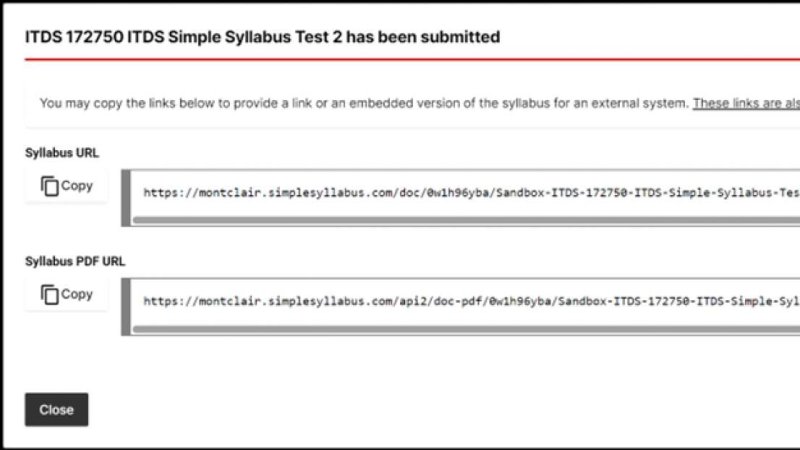
After submitting your syllabus, you will receive the following submission prompt with options to copy the syllabus or PDF URL or embed code for an external system.
-
View your finalized syllabus.
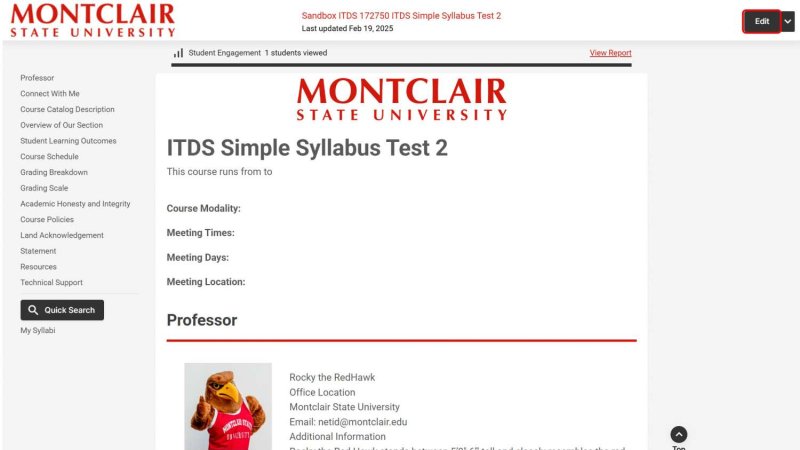
Click "Close" to continue. The finalized syllabus will then display. This is the version students will see when clicking on “Montclair Syllabus”. Students can jump to different sections by clicking on the component titles in the left navigation. After the syllabus has been submitted, click Edit in the survey preview to make additional changes.
Tracking Student Engagement
Simple Syllabus allows instructors to track student engagement with syllabi using the Student Engagement feature.
-
Navigate to Montclair Syllabus in your course.
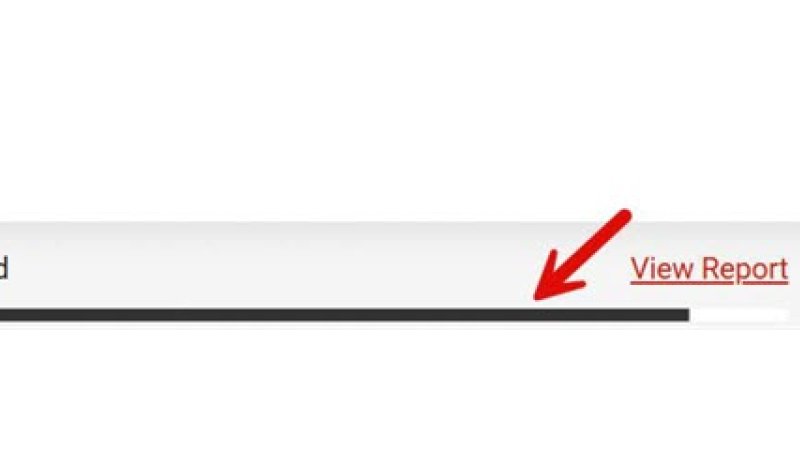
The black horizontal bar will display the student engagement. The black portion of the bar represents the number of students who have viewed the syllabus, white is representative of the number of students who have not viewed the syllabus.
-
View your student engagement report.
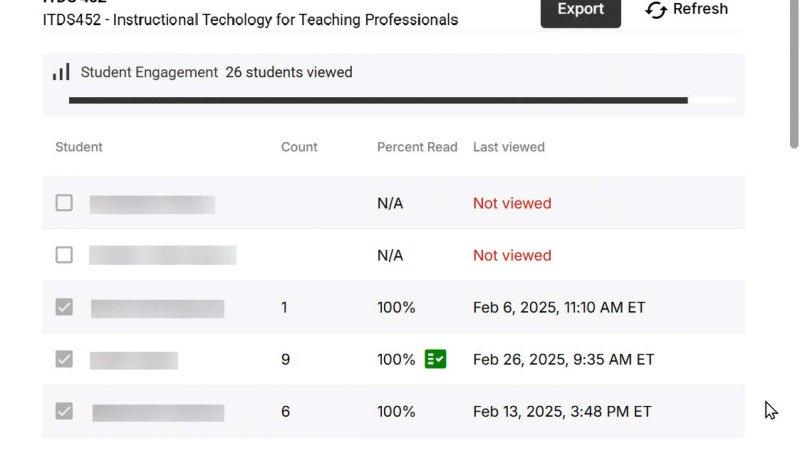
Click on the black bar or the "View Report" link for a detailed breakdown of syllabus engagement by student. The first column displays the list of students enrolled in the class, the middle column displays how many times each student has viewed the syllabus, and the last column displays the last viewed date.
Submitting and Sharing Your Syllabus
- Submit your syllabus.
Click "Submit" at the bottom of the syllabus. You must click "Submit" in order for your students to see it through Canvas. - Copy your syllabus.
After submitting your syllabus, you will receive the following submission prompt with options to copy the syllabus or PDF URL or embed code for an external system.
- View your finalized syllabus.
Click "Close" to continue. The finalized syllabus will then display. This is the version students will see when clicking on “Montclair Syllabus.” Students can jump to different sections by clicking on the component titles in the left navigation. After the syllabus has been submitted, click "Edit" in the survey preview to make additional changes.
Tracking Student Engagement
Simple Syllabus allows instructors to track student engagement with syllabi using the Student Engagement feature.
- Navigate to Montclair Syllabus in your course.
The black horizontal bar will display the student engagement. The black portion of the bar represents the number of students who have viewed the syllabus, white is representative of the number of students who have not viewed the syllabus. - View your student engagement report.
Click on the black bar or the "View Report" link for a detailed breakdown of syllabus engagement by student. The first column displays the list of students enrolled in the class, the middle column displays how many times each student has viewed the syllabus, and the last column displays the last viewed date.
Syllabus Acknowledgement
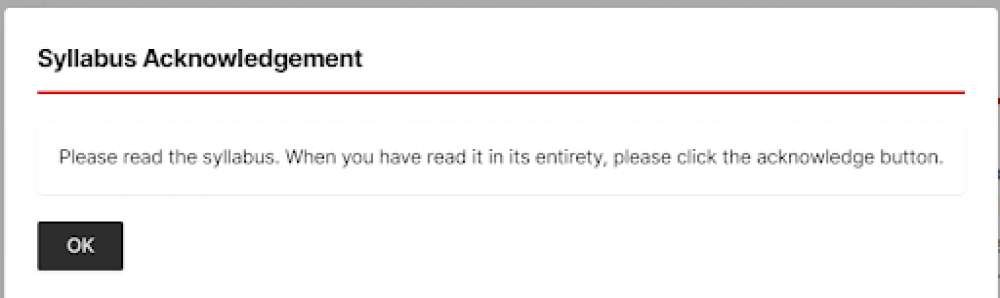
When students view the Montclair Syllabus they will receive a Syllabus Acknowledgement prompt reminding them to hit the acknowledge button when they have read the syllabus in its entirety. This will be indicated with a green check mark in the syllabus engagement breakdown.