
Early Bird Student Checklist
Congratulations on your acceptance! You should be proud of this achievement.
Some steps for enrolling will be available later this year, but here’s some things you can do and prepare for now as an accepted Early Bird, view the rest of your steps on the Freshman Accepted Student Checklist.
If you have any questions about our enrollment process, please email msuadm@montclair.edu or call 973-655-4444. Or, you can log into your portal to connect with your admissions counselor!
Early Bird Accepted Student Checklist
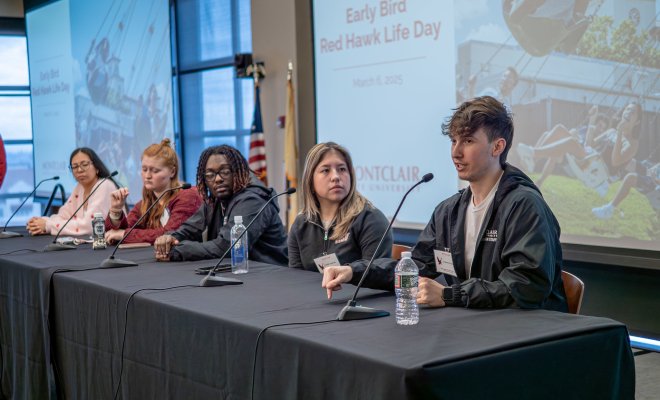
You’re already ahead of the curve and now is your chance to meet fellow Red Hawks who are exceptional, just like you! Join us for Early Bird Welcome Day on Thursday, August 13, 2026 or Friday, August 14, 2026 where you will:
- Hear from Admissions staff
- Attend a Next Steps Admissions presentation
- Learn from Financial Aid and Safety sessions for parents
- Discover how to connect college choices with your passions and more during Dr. Danny Jean’s presentation, 5 Messages that Every Future College Grad Should Know.
- Explore your future campus with a Scavenger Hunt
- Win fun raffle prizes
- Receive some Montclair swag
Let’s celebrate this awesome achievement of being accepted to Montclair State University together!
Ensure you receive any financial aid you may be eligible for by filing the Free Application for Federal Student Assistance (FAFSA) at fafsa.gov. Be sure to list Montclair when you submit your application. The FAFSA historically becomes available in October. We will reach out to you when an official open date is announced.
If Financial Aid reaches out to you with any document requests, make sure to reply so we can get your financial aid award offer to you as soon as possible.
Questions about this step? Sign up for a Financial Aid Webinar, watch a recording of our Financial Aid Webinar. You may also contact Red Hawk Central at 973-655-7600 or email redhawkcentral@montclair.edu.
I hope you’re as excited to become a member of our community as we are to see you soar at Montclair. Please complete the 2027 Early Bird Reply Form to let us know your current enrollment plans. Your response will help us provide the most relevant communications and next steps throughout the enrollment process.
Enrollment and housing deposits will be available beginning in October, and we’ll notify you as soon as you can submit your deposit.
Questions about your New Student Deposit? Contact the Office of Undergraduate Admissions at 973-655-4444 or email msuadm@montclair.edu for assistance.
Questions about your Housing Deposit and Application? Contact the Office of Residence Life at 973-655-5188 or email reslife@montclair.edu for assistance.
You will receive a confirmation email from Undergraduate Admissions with the subject line, “Your New Student Deposit and Montclair NetID.” Your NetID is your login for many web-based University systems, including your Google account. The email we send you will give you your NetID and instructions for setting it up. As part of activating your NetID, you’ll have to confirm your identity through a challenge question. As a new student, you must choose the “CWID” challenge question. Your CWID can be found at the top of your Accepted Student Portal. Your NetID cannot be activated until after you submit your new student deposit.
After you activate your NetID, you MUST enroll and set up Duo Multi-Factor Authentication (MFA) before classes begin for access to University systems. Duo Mobile makes logging in easier by providing a verification code through your phone or device. After you activate your NetID, please refer to the Initial Enrollment Steps for instructions to set up DUO.
It may take 24 hours until you’re able to successfully log in to other campus systems after setting up your NetID. To access your Montclair Google account, sign into Google.com with your NetID@montclair.edu Gmail and password. Don’t forget to add your new Montclair email to your phone and check it regularly! This where you’ll receive official messages from your advisor and the University, and about exciting topics like new student orientation and move in.
Questions about this step? Contact the Office of Undergraduate Admissions at 973-655-4444 or email msuadm@montclair.edu for assistance.
Stay plugged in with the Montclair community on the mobile app ZeeMee! Chat with other Early Bird students, match on shared interests and participate in live in-app events for a chance to receive some Montclair swag! Meet your future friends before you even step on campus.