
Address Reporting Requirement
U.S. federal regulations require that all F-1 or J-1 students provide their school with a physical U.S. address and a foreign address (outside of the U.S.) while they are studying or are on OPT. Federal regulations also require all students with F-1 or J-1 status to report changes of address within 10 days of a move.
Reporting Your Address
When you report your address in NEST, we will review it and use the address to update your SEVIS record. International students MUST have at least 2 types of addresses listed in NEST:
MAILING address = U.S. address
PERMANENT address = address in your home country
As an F-1/J-1 visa holder, you DO NOT have a permanent address in the U.S. Take a moment now to make any necessary changes to your address in NEST. Make sure your address is entered correctly and it is not set to expire. Without your U.S. address, you are at risk of losing your immigration status.
Steps to Report Your Address in NEST
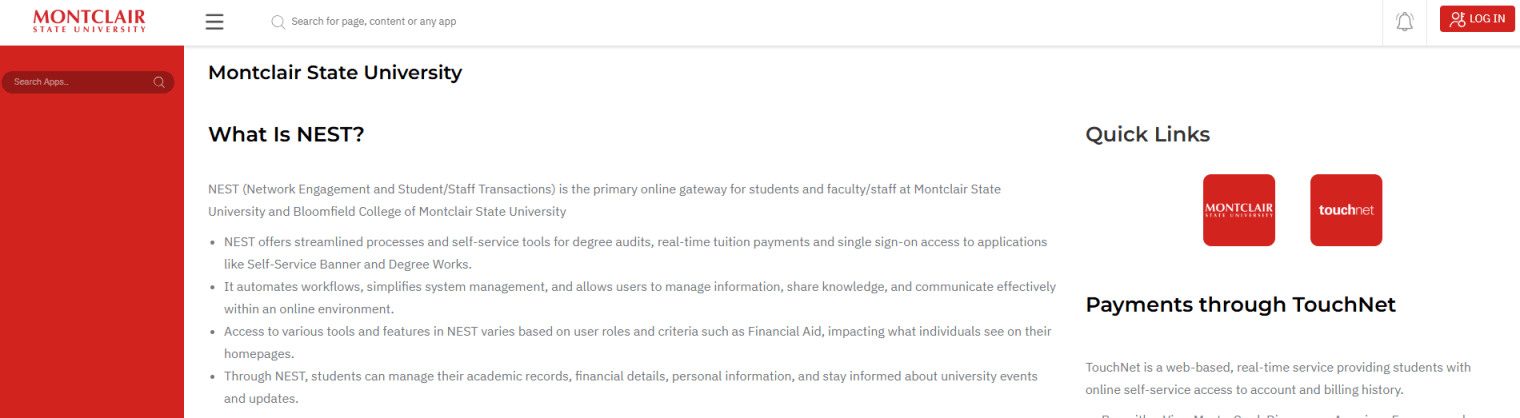
Log into NEST.
Go to nest.montclair.edu and log in using your CWID and password:
Review Your Information
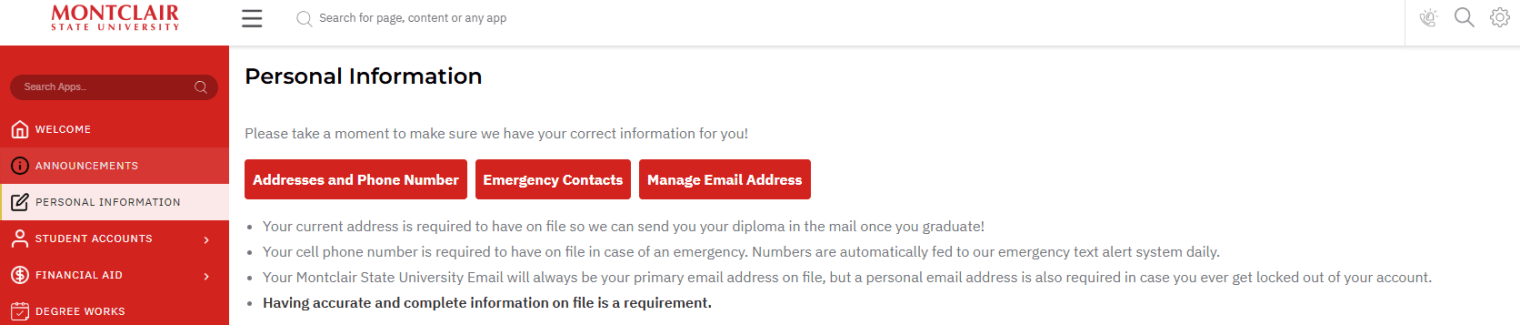
Scroll down to the “View my Personal Information” section and click on “Addresses and Phone Numbers”
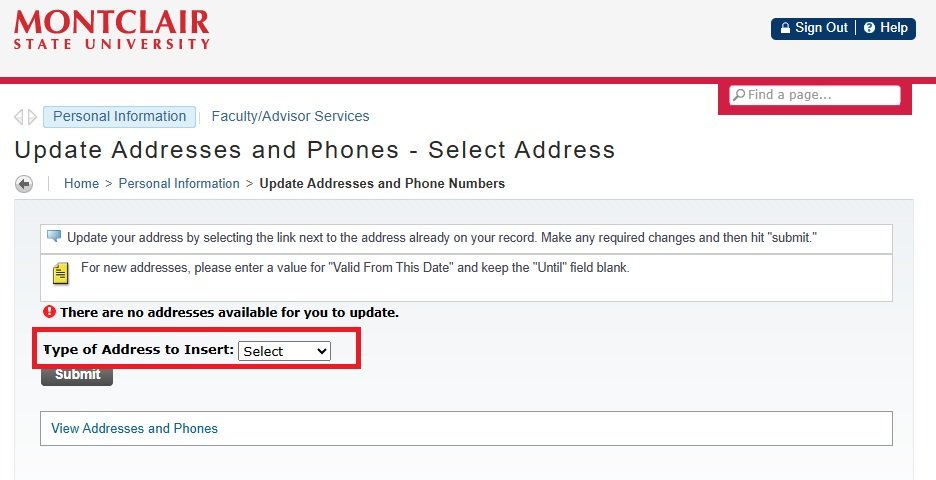
Select the Address That You Want To Update
Click on the Address that you want to update. For example, to change the Mailing Address, click the “Current” hyperlink under the “Mailing” section.
Note that your mailing address is your U.S. address. F-1 students do not have a permanent address in the U.S. Your permanent address is your address in your home country. As such, you should only update your permanent address if your family (who is abroad) moves to another home.
Even students on OPT or STEM extension do not have a permanent address in the U.S.
Update Your Address
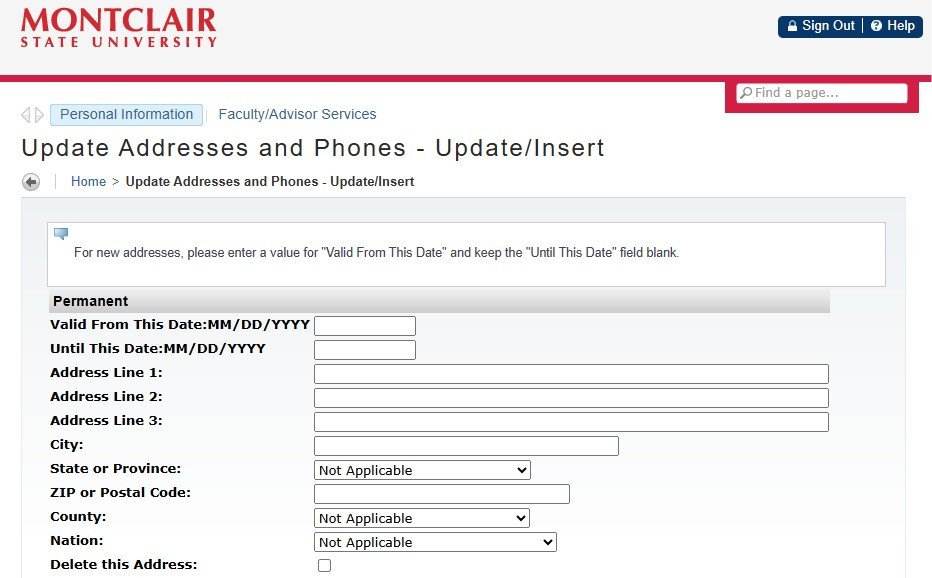
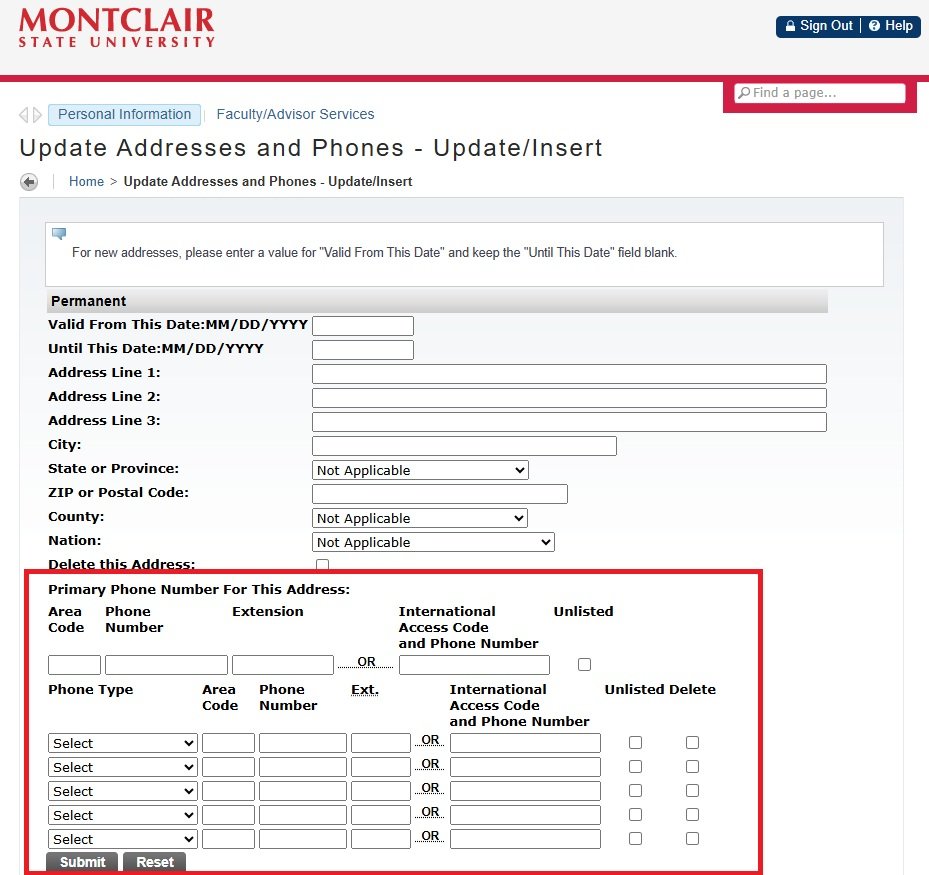
Enter your CURRENT address here. On the “Valid From This Date” section, enter the date you moved or will move to this new address.
Leave the “Until This Date” section blank.
IMPORTANT NOTE: The “Until This Date” section should only be completed if you moved out and need to update your address again. Whenever you move and need to update your address again, at that time, you will enter the date you moved out on section “Until This Date”. Then save it and repeat steps 1-5 to enter your new address.
Enter your address in this order, for example:
Address line 1: 123 Main Avenue, Apartment ABC
Address line 2:
Address line 3:
City: Montclair
State or Province: NJ
Zip or Postal Code: 07043
Entire street address listed in line 1, including apartment number
No information listed in Address line 2 or 3
No comma in between building number and street name
Building number and street listed before apartment number in line 1
Update Your Phone Number
Enter your phone number in this order, for example:
Area Code: 973
Phone Number: 1234567
First 3 digits listed in Area Code
Remaining 7 digits listed in Phone Number
No digits entered in Extension
No “extras”, such as +1, 9, +, or other country codes added.
Submit Your Changes
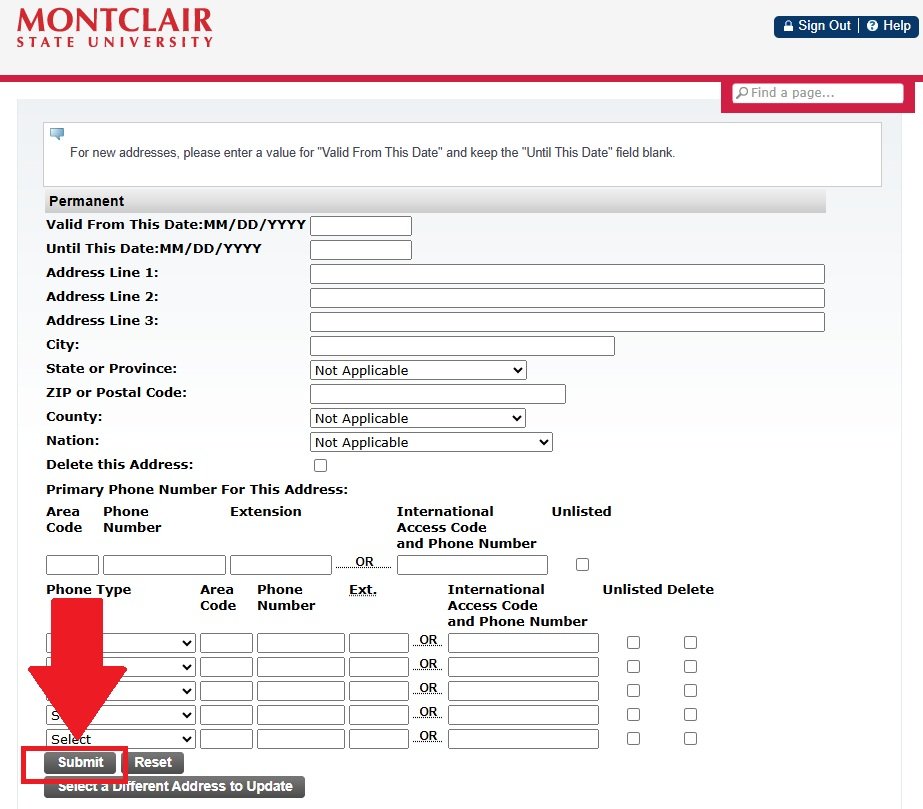
After you make all your updates, click the “Submit” button at the bottom of the page to save your changes.
Contact Us
Immigration Support
Current Students with questions about F-1 or J-1 visas.
- oge@montclair.edu
- +1 973-655-6862
- Cole Hall 148