
[Phish Alert] Document shared with you: “Essential Departmental Interview.docx”/”Letter of Academic Concern..docx”
This article explains a phishing email that impersonates Montclair faculty or staff by using their names and seemingly legitimate documents to appear trustworthy.

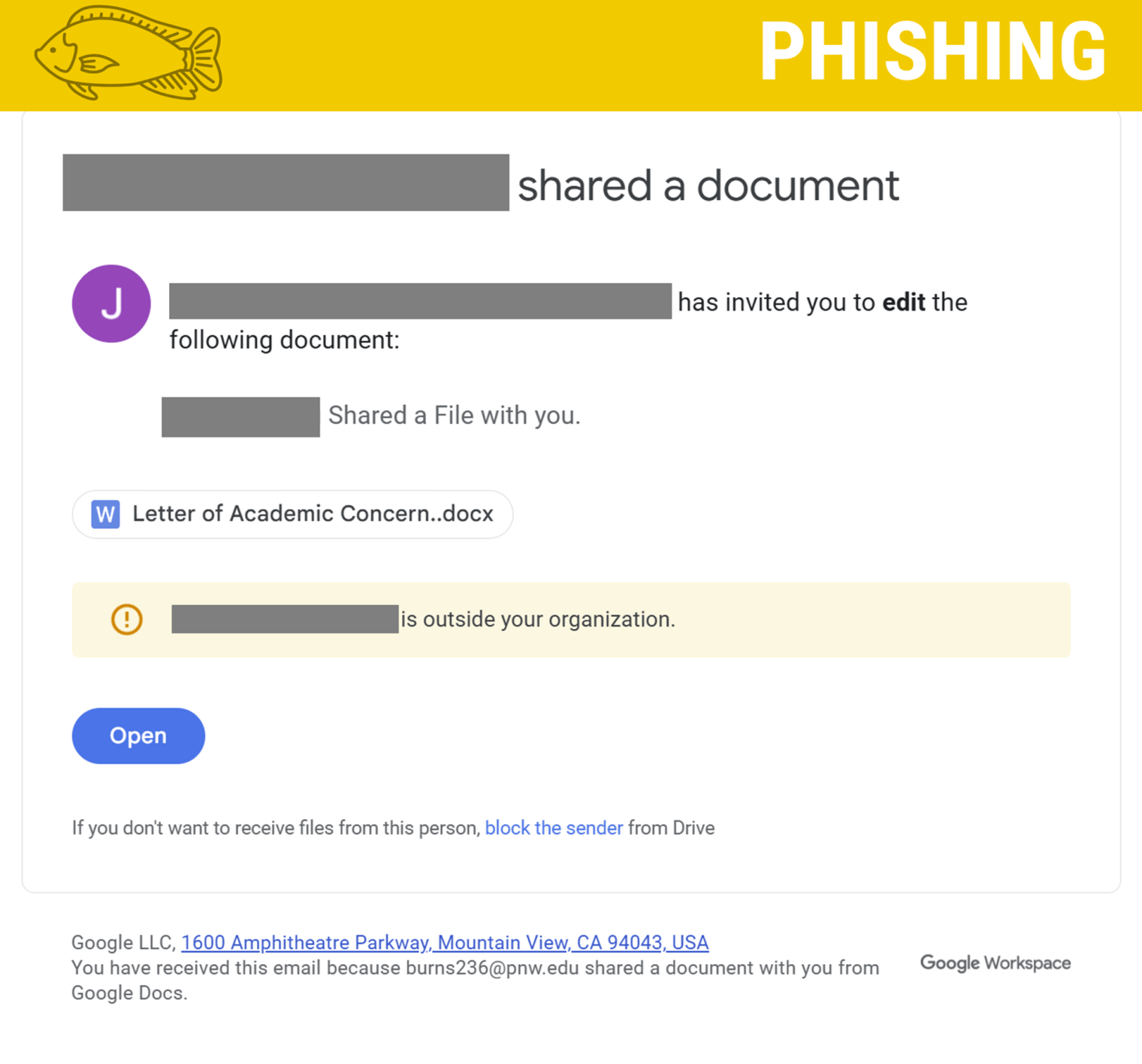
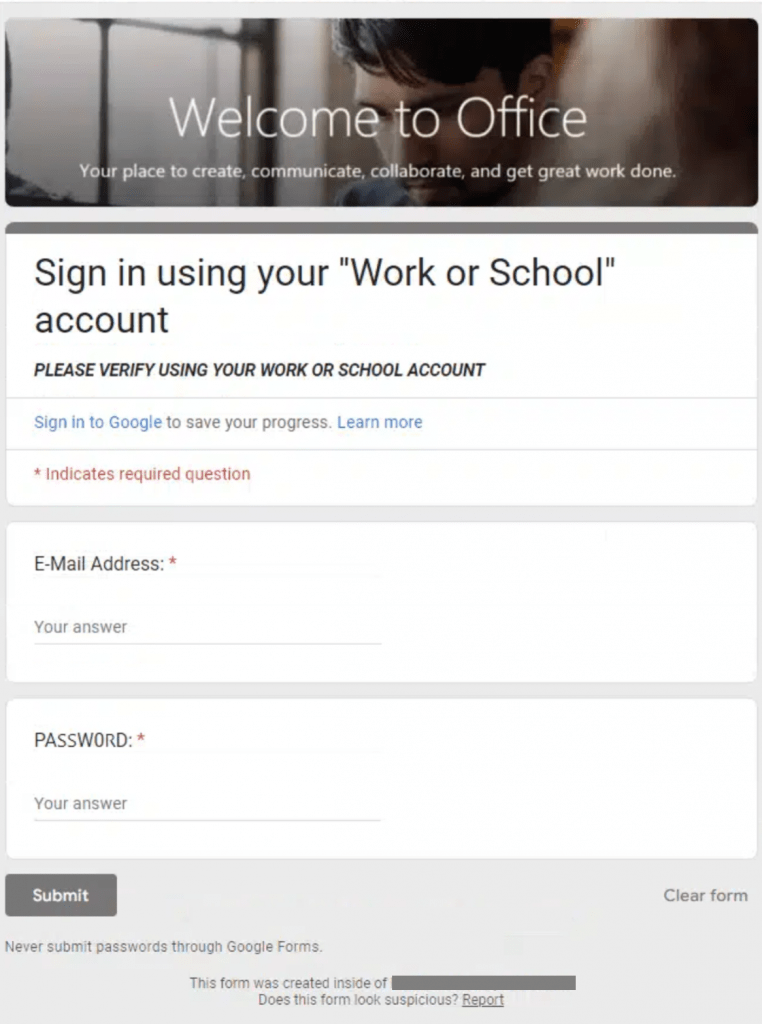
Why this looks valid:
- Email has an Montclair faculty/staff members name on the file.
- Email subjects and document attached seem legitimate.
Why this is phishing?
- Email is coming from an external email address.
- The Montclair faculty/staff member’s name is in the notes section not the creator/sender’s section.
- Email sends to a Google Doc that contains a link to a Google Form requesting email and password.
- Spelling errors within the form.
- Montclair will never request your email and password.
Additional Notes
- Remember: Information Technology will never text you. We will also never request your password or Duo codes, ever.
- Information Technology will not ask you to verify accounts or submit passwords through unofficial forms or unexpected email links.
- Do you think you’ve fallen for a scam? Did you share personal information? Downloaded malicious content? Please contact the IT Service Desk.
- Use the Knowbe4 Phish Alert Button (PAB) to report malicious emails directly to the Information Security team for review. If you are not using the Gmail client please forward the email to phishfiles@montclair.edu.
Always use the “hover over” technique to check web links before clicking! For more security tips please visit the Phish Files!
- Published
- Type
- Topic

