[Phish Alert] Work and Study Position
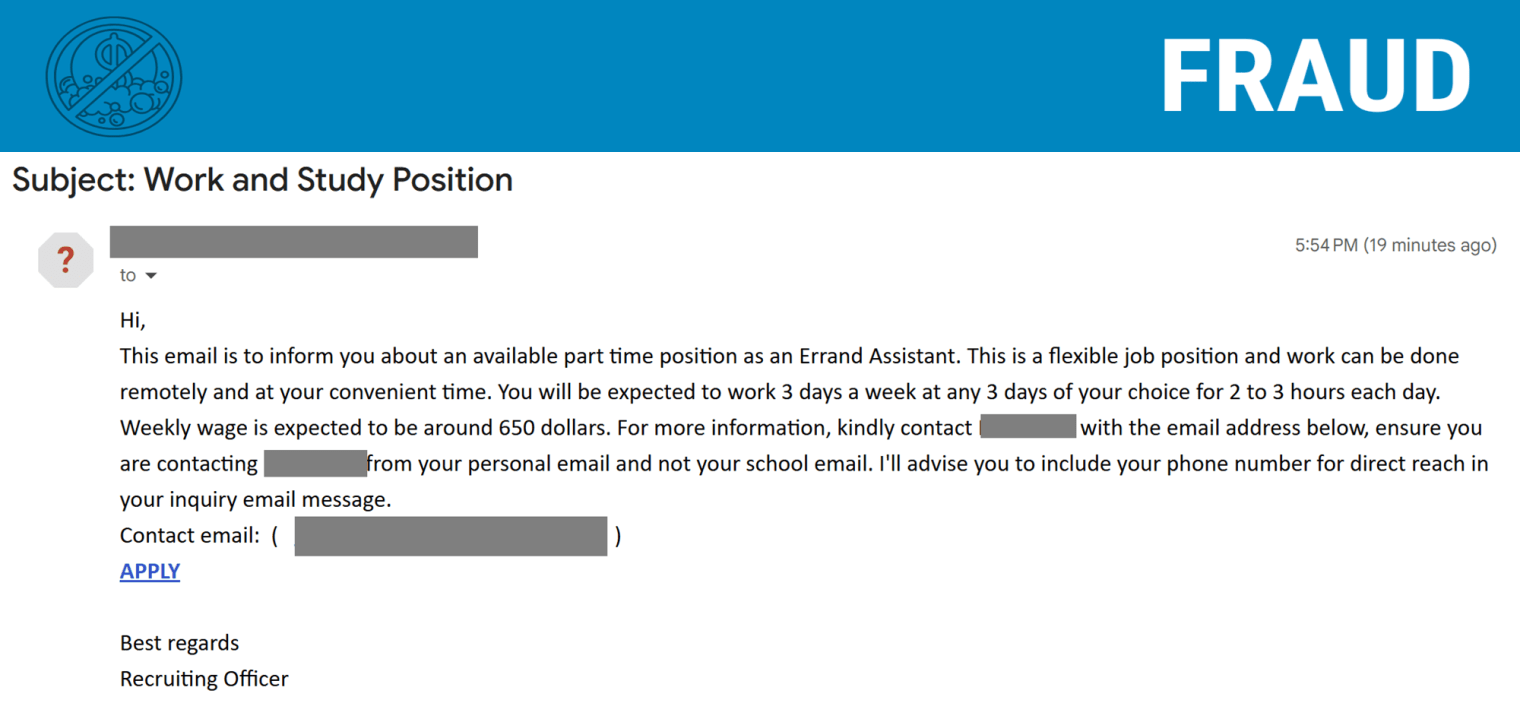
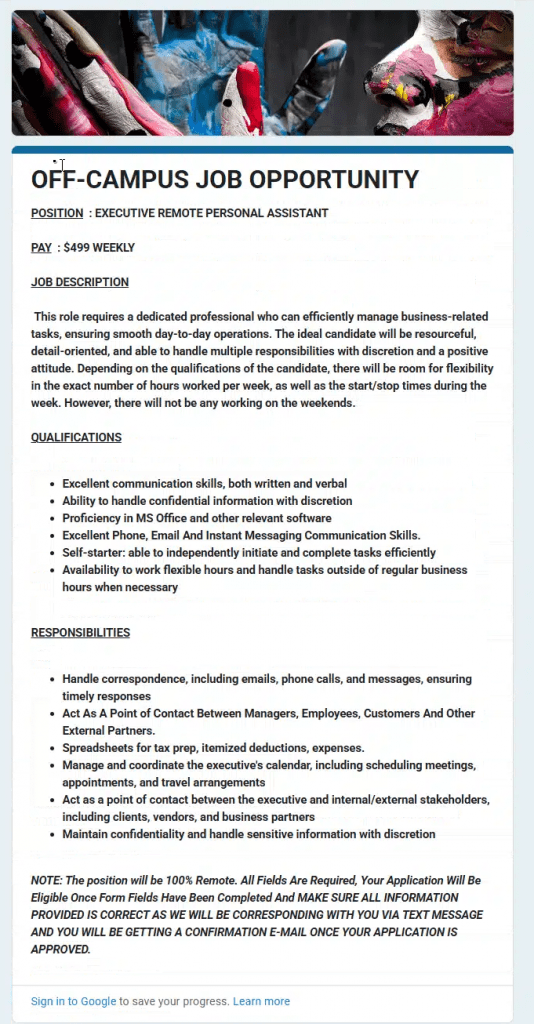
This phishing email attempts to appear legitimate by using a compromised Montclair State University account and references to a university recruitment office. However, the message promotes unrealistic job opportunities, directs users to a suspicious Google Form requesting sensitive personal and banking information, and asks victims to continue communication through an external email address.

Why this looks valid:
- Sender is coming from an Montclair State University account. (Compromised Account)
- Email says it’s coming from the recruitment office.
Why this is phishing?
- All jobs available at Montclair State University will be posted on Handshake via Career Services.
- Too good to be true email trying to get users to provide personal information.
- Google Form asks for personal information including your credit limit, banking information and your home address.
- Email informs the victim to contact a random external email address. This is done to avoid our systems from detecting them.
Additional Notes
- Remember: Information Technology will never text you. We will also never request your password or Duo codes, ever.
- Information Technology will not ask you to verify accounts or submit passwords through unofficial forms or unexpected email links.
- Do you think you’ve fallen for a scam? Did you share personal information? Downloaded malicious content? Please contact the IT Service Desk.
- Use the Knowbe4 Phish Alert Button (PAB) to report malicious emails directly to the Information Security team for review. If you are not using the Gmail client please forward the email to phishfiles@montclair.edu.
Always use the “hover over” technique to check web links before clicking! For more security tips please visit the Phish Files!
- Published