[Phish Alert] Fake Google Doc Job Opportunities
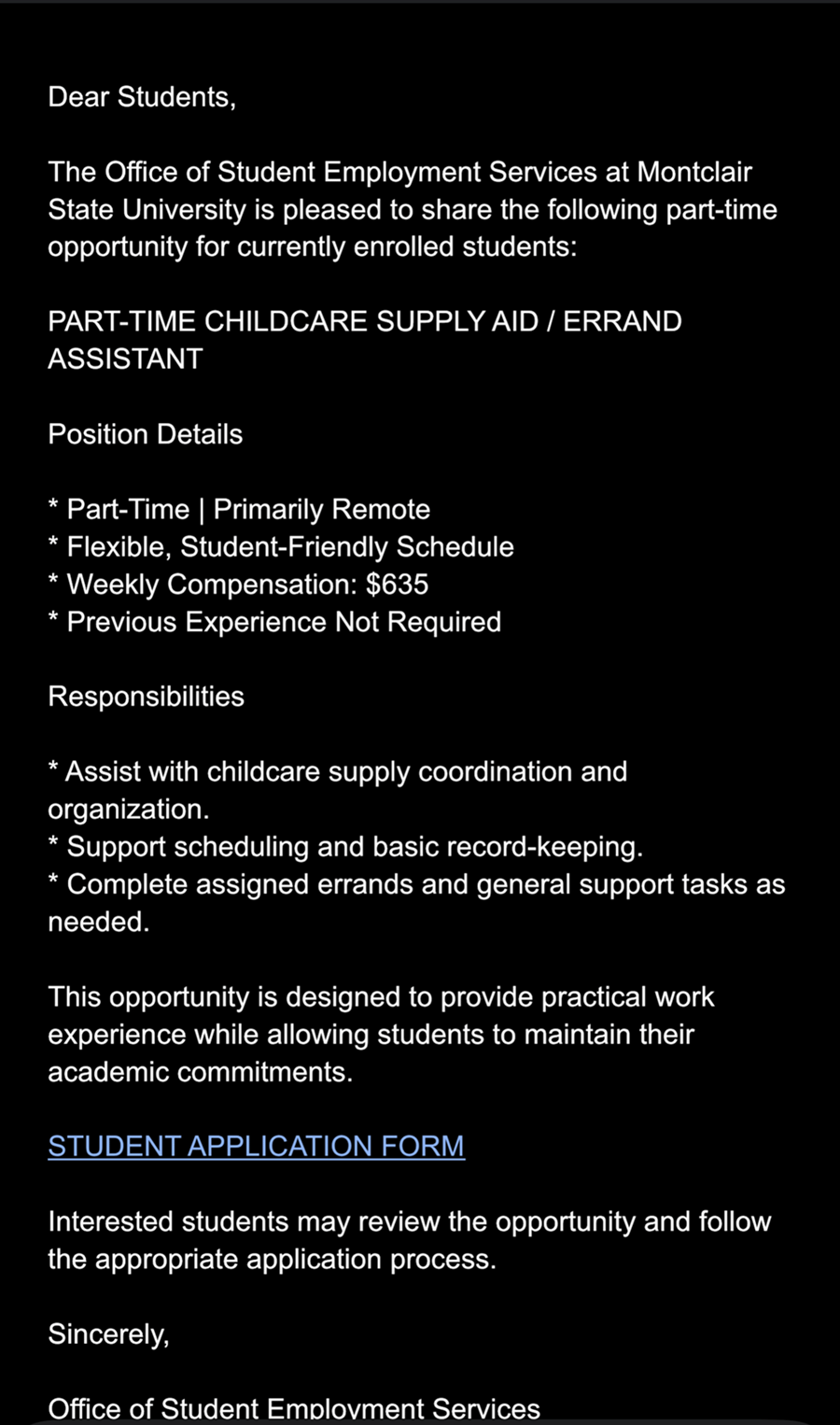
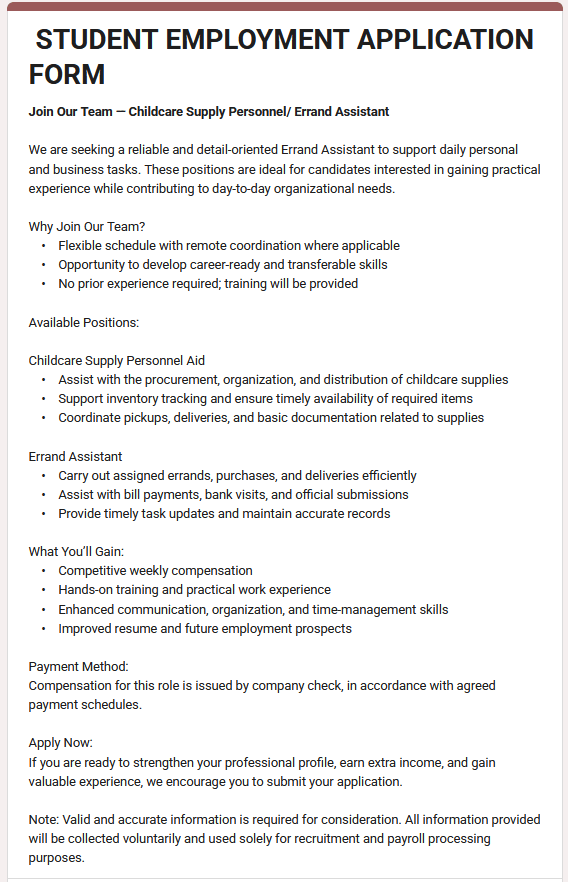
Be cautious of phishing emails impersonating Montclair State University (MSU) employment opportunities, childcare positions, remote jobs, and other job-related offers. These emails may appear to come from someone sharing a Google Doc with information about a job opening. However, they are designed to trick recipients into clicking a malicious link.
The subject line changes frequently but often includes references to MSU, Montclair, remote work, childcare positions, or job opportunities in general.
What Happened?
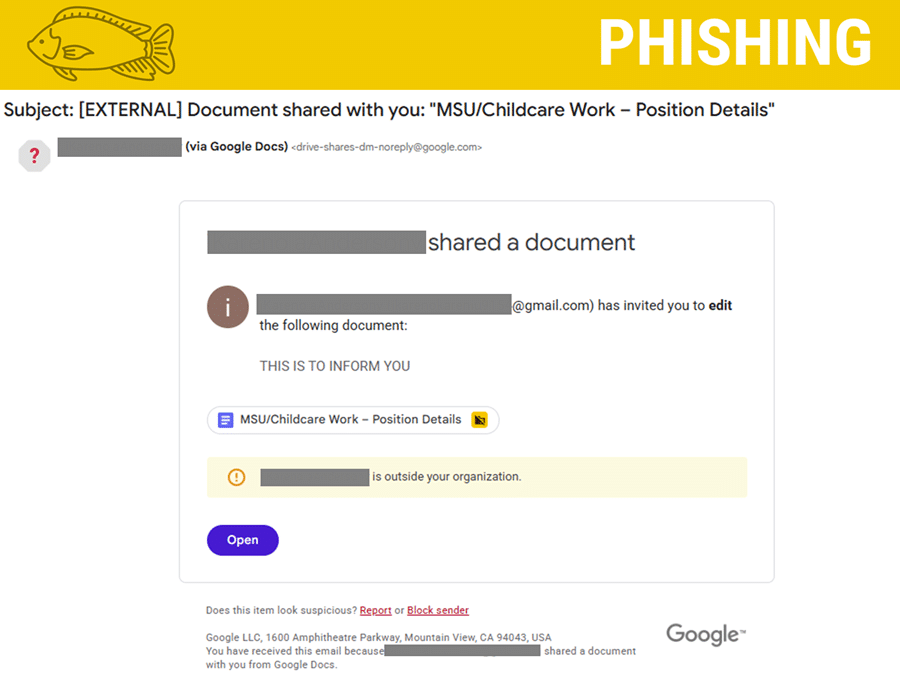
A phishing email was sent to Montclair email accounts claiming to share a document containing job or position details. One example used the subject line:
"Document shared with you: 'MSU/Childcare Work – Position Details'"
The email appears to be a Google Docs sharing notification and includes a link or button labeled "Open" that directs recipients to the supposed job information.
The sender's email address in the message body changes each time. These messages have been observed using personal Gmail addresses rather than official university or employer accounts.
How It Looks Legit
This phishing email attempts to appear legitimate by imitating an automated Google Docs document-sharing notification.
Some details that may make the email seem trustworthy include:
- Google Docs formatting: The message resembles a standard Google Docs notification, including the document title, sharing information, and an "Open" button.
- Relevant subject lines: References to MSU, Montclair, remote jobs, childcare positions, and employment opportunities may catch students' attention.
- Familiar platform: Google Docs is a commonly used service, making the notification appear routine.
- Job-related content: Students looking for employment may be more likely to open a document advertising a potential opportunity.
How We Know It's a Phish
There are several red flags that indicate this email is fraudulent:
- Unrecognized Gmail addresses: The email uses changing personal Gmail addresses rather than an identifiable university or legitimate employer email account.
- Unexpected document sharing: The recipient may not recognize the person sharing the document or have any reason to expect a job-related document from them.
- Changing subject lines: Although the wording changes, the messages consistently use university-related or employment-related language to attract attention.
- Unverified job opportunities: Montclair State University advertises student employment and job opportunities through Handshake. An unexpected Google Docs invitation should not be treated as an official job posting.
- External sender warning: The email may include a notification that the sender is outside the university organization. This is an important warning to pay attention to.
When looking for employment opportunities, always visit Handshake directly rather than following unexpected links in emails.
What Happens If You Click?
Clicking the "Open" button or document link will direct you to a fraudulent page or form designed to harvest your sensitive information.
The attackers will attempt to collect:
Personal & Contact Information: Full Name, Gender, Age, Cell Phone Number, Apartment Address, Personal Email, and School Email
Application Details: The specific job position you are applying for
Financial Details: Bank Name (for checking account) and Mobile Deposit Limit
Beyond collecting this targeted information, interacting with the link or form may allow attackers to:
Steal your university email username and password.
Capture your Google account login information.
Gain unauthorized access to your email account and use it to send additional phishing emails across campus.
Even if the document appears to contain legitimate job information, do not submit any details or assume the link is safe.
What You Should Do
- Do not click the "Open" button or any links in the suspicious email.
- Do not enter your university credentials or personal information on any website linked in the message.
- Verify job opportunities by visiting Handshake directly through the university's official resources.
- Report the email using the Phish Alert Button (PAB) or forward to phishfiles@montclair.edu.
If you already clicked the link and entered your credentials, change your password immediately and contact the IT Service Desk.
Additional Notes
- Remember: IT will never ask for your password or Duo codes, ever.
- Information Technology will not ask you to verify accounts or submit passwords through unofficial forms or unexpected email links.
- Do you think you’ve fallen for a scam? Did you share personal information? Downloaded malicious content? Please contact the IT Service Desk.
- Use the Knowbe4 Phish Alert Button (PAB) to report malicious emails directly to the Information Security team for review. If you are not using the Gmail client please forward the email to phishfiles@montclair.edu.
- Don't have the PAB? Contact the Phish Files and let us know! We will be able to assist with getting you access.
Always use the “hover over” technique to check web links before clicking! For more security tips please visit the Phish Files!
- Published
- Type
- Topic