Allowing Student Recordings in Panopto (Canvas)
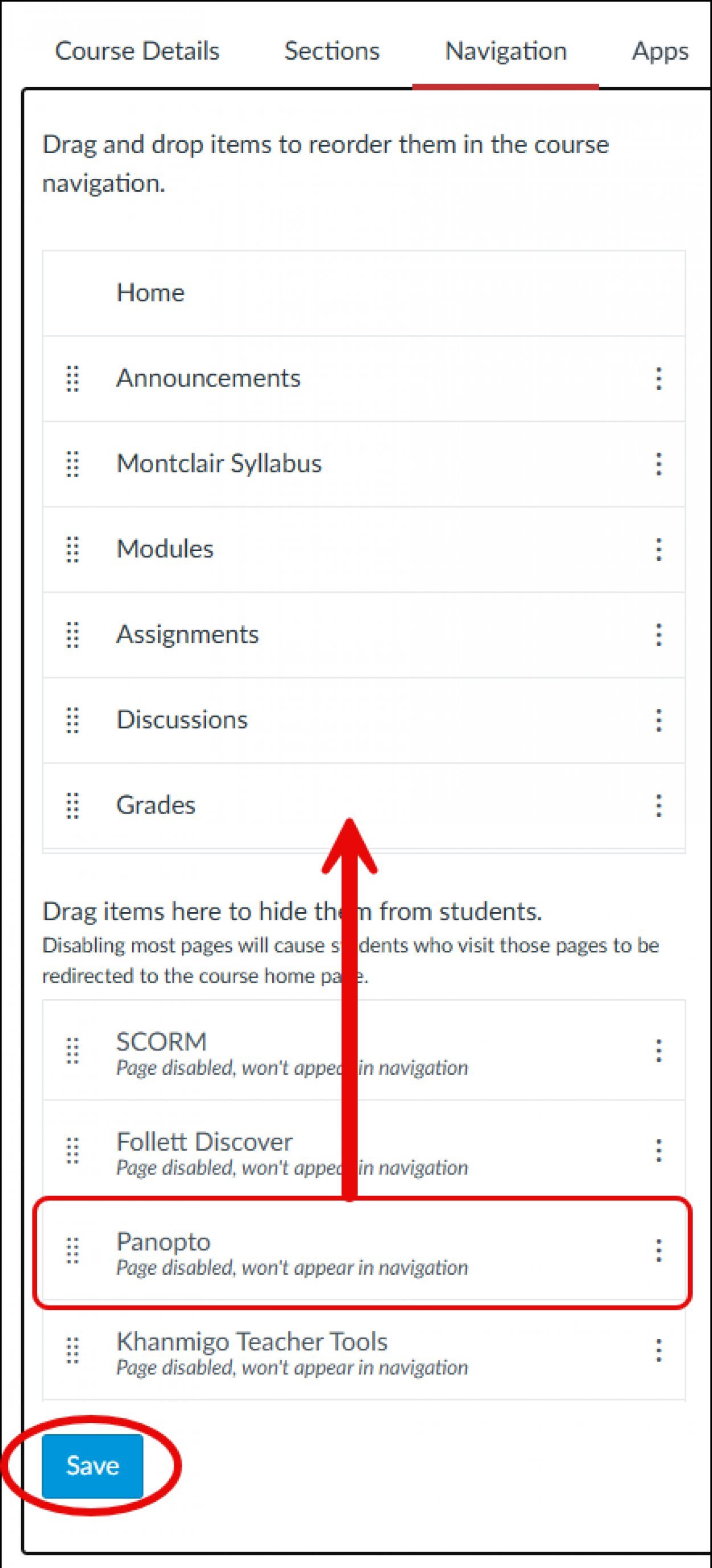
- In your Canvas course, navigate to Settings and click on Navigation.
- Drag or enable Panopto so that it appears in the left navigation in your course.
- Click Save.
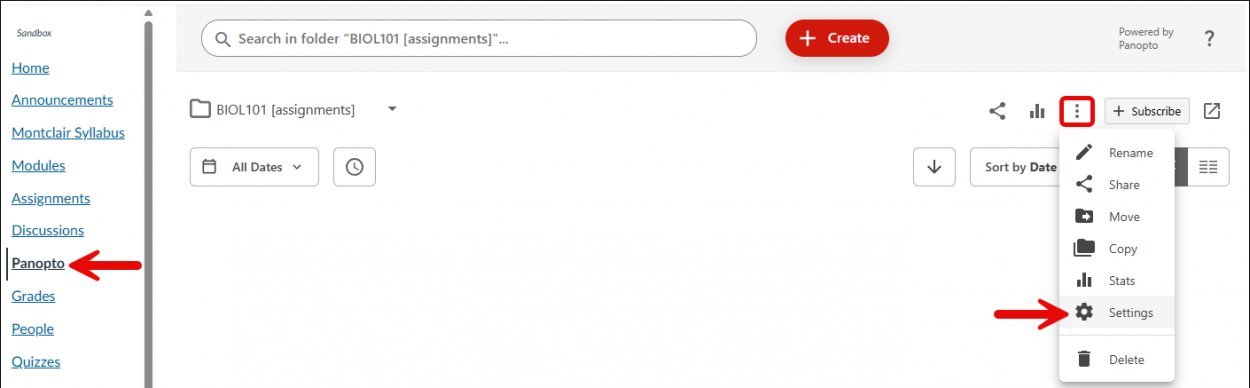
- Select Panopto, then click on More actions and choose Settings.
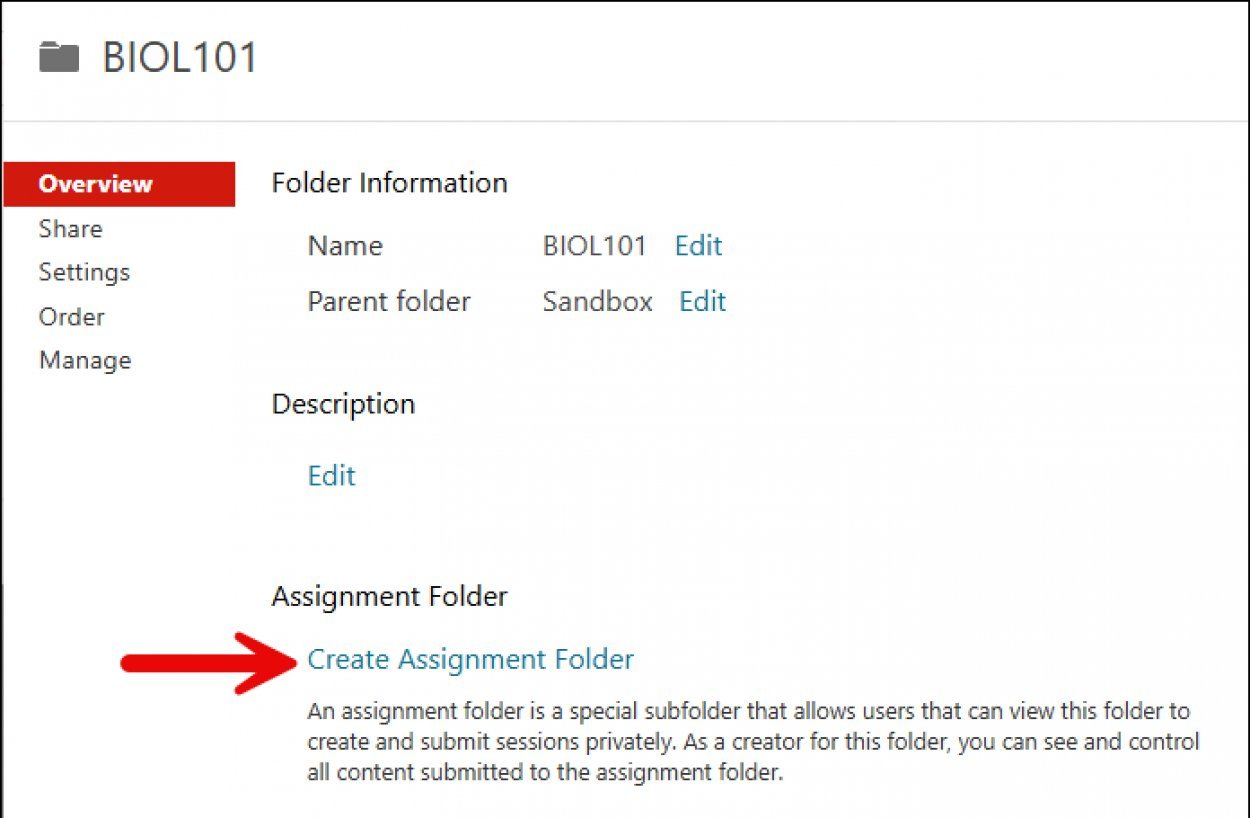
- From the Overview tab, click on Create Assignment Folder. This will create a subfolder called assignments which will allow students to record and upload their videos.
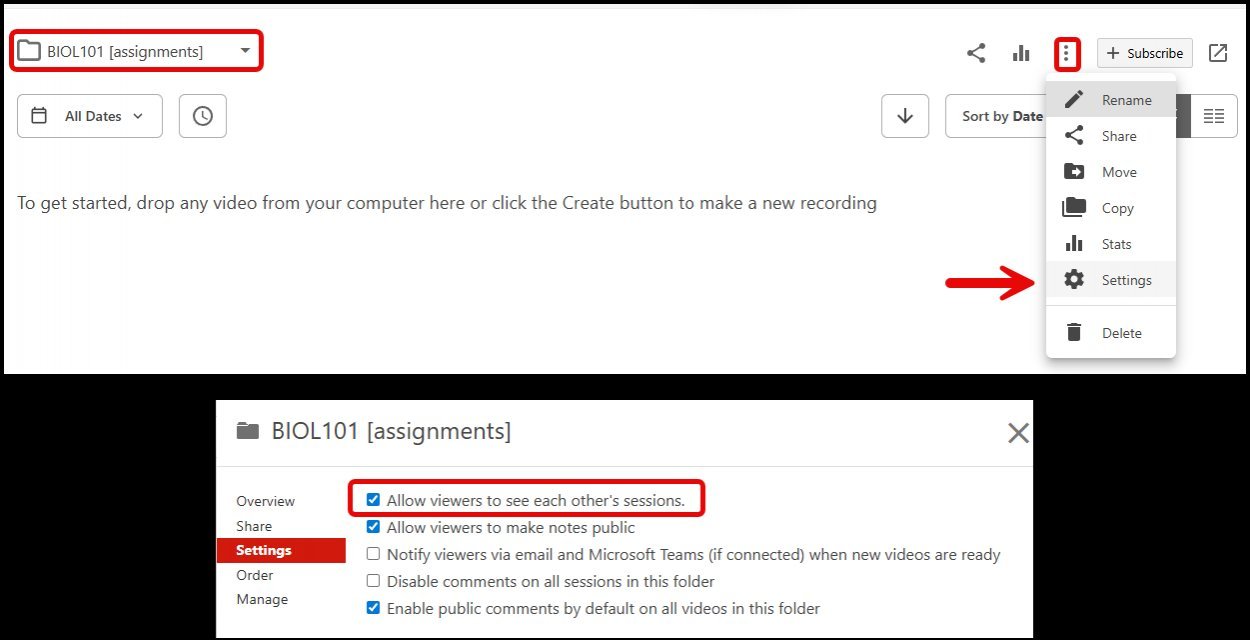
- If you would like students to be able to see each other’s videos, click on the [assignments] folder, click on More actions and select Settings then under the Settings tab enable “Allow viewers to see each other’s sessions” and close out.