Join us for a field trip!

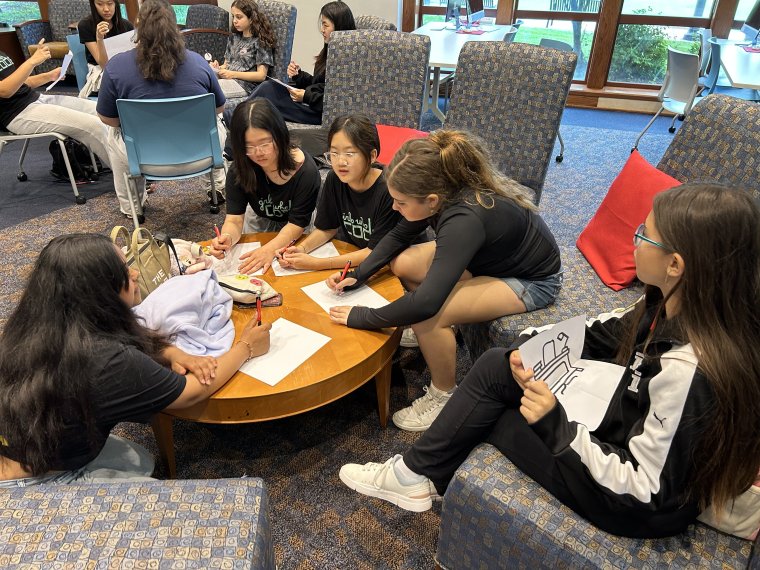
kids from a field trip work on a project together

Turn your class trip into a hands-on STEM adventure! Our field trips get students out of their seats and into the action, with interactive experiences in robotics, coding, sports science, and media production. Designed for Grades 3-12 and aligned to New Jersey Student Learning Standards, each program connects classroom learning to real-world skills and careers.
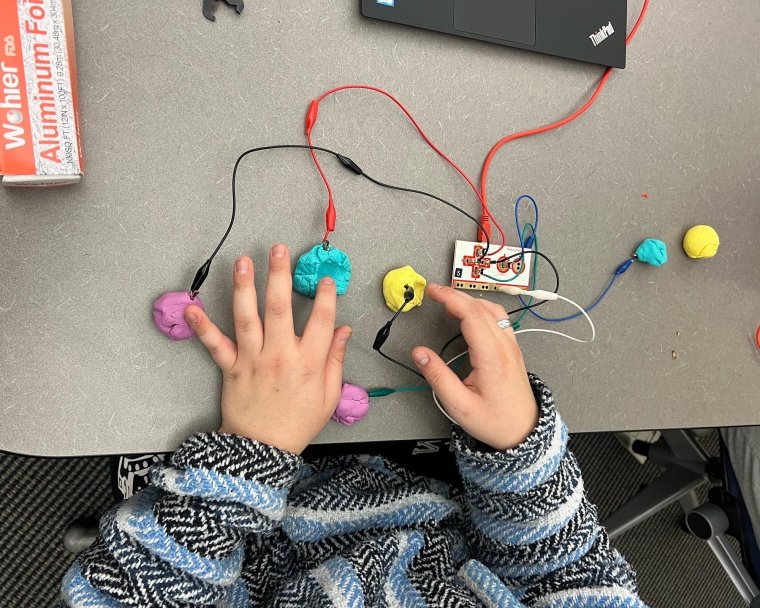
Hands touching putty with wires connected


Whether they’re racing robots, designing and coding obstacle courses, exploring the science and math of baseball, or recording their own podcasts, students work in teams to solve problems, think creatively, and build confidence along the way. Browse our offerings below to find the right fit for your class.


Grand Slam STEM
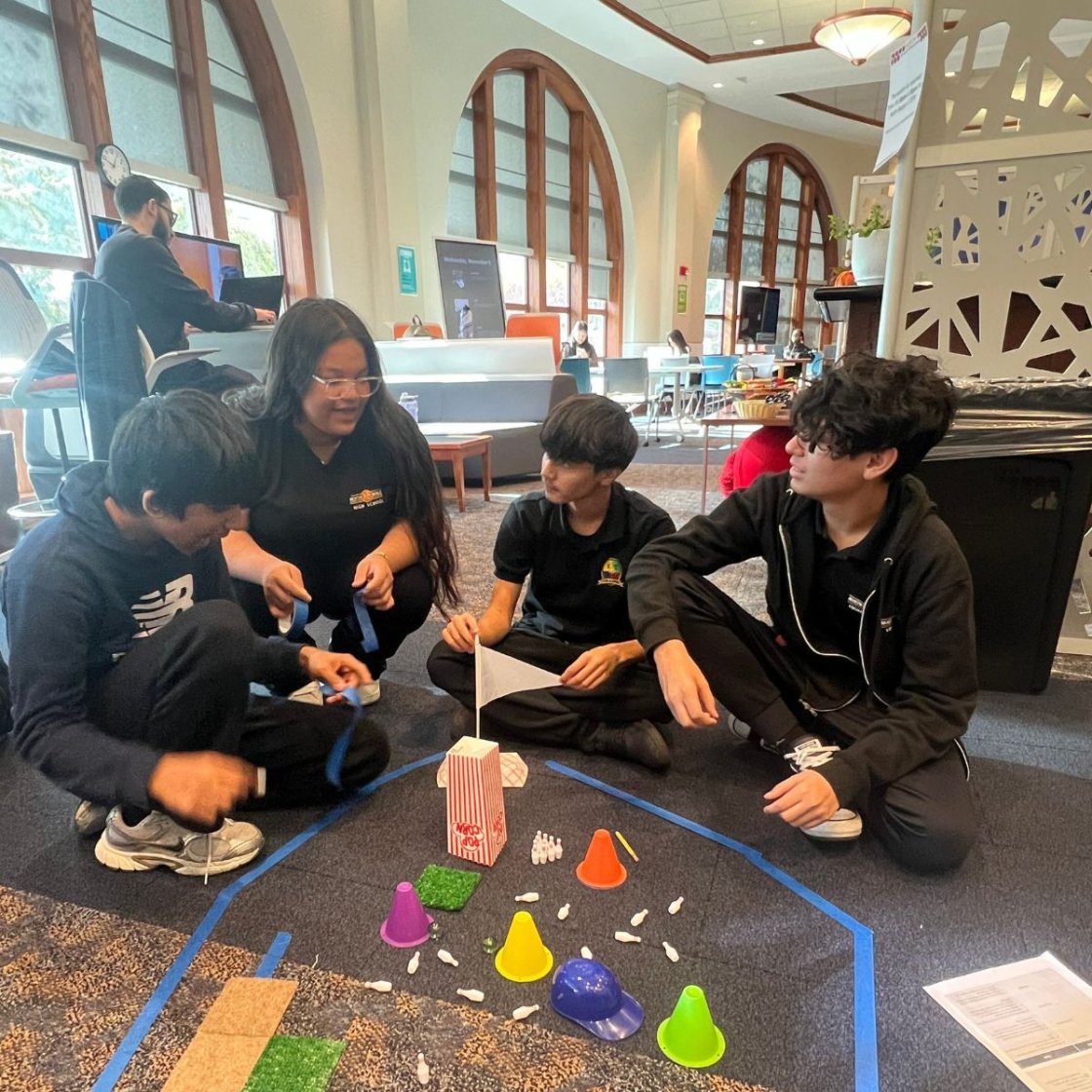
image of kids coding at the ADP Center

Home Run Coding

Students team up to design and code a futuristic baseball-themed obstacle course using Sphero SPRK+ robots. Participants will take on specialized roles: Engineer, Mathematician, Programmer, and Designer—as they build a course that tests their robot's durability, accuracy, and problem-solving skills. With real-world coding, teamwork, and creative design challenges, this activity hits a grand slam for innovation and fun!

Audience: Grades 6-12

Home Run Coding Learning Objectives & Standards

  • Develop and apply algorithms to program a robot to complete a series of tasks and navigate an obstacle course.
  • Break complex problems into smaller steps and develop solutions using computational thinking.
  • Test, debug, and refine code based on observations and performance.
  • Apply mathematical concepts including measurement, distance, angles, timing, spatial reasoning, and data analysis.
  • Apply the engineering design process by brainstorming, designing, building, testing, evaluating, and improving a solution.
  • Analyze constraints and trade-offs when determining the most effective design and programming strategy.
  • Collaborate effectively by assuming specialized roles, communicating ideas, sharing responsibilities, and solving problems as a team.
  • Use creativity and design thinking to develop an engaging and functional futuristic baseball-themed environment.
  • Connect STEM skills to real-world careers in engineering, computer science, mathematics, technology, and design.

New Jersey Student Learning Standards for Computer Science & Design Thinking:

  • 8.1.5.AP.3 — Algorithms & Programming 
    • Create programs that include sequences, events, loops, and conditionals to solve problems.
  • 8.1.5.AP.4 — Algorithms & Programming 
    • Break down problems into smaller, manageable sub-problems to facilitate program development.
  • 8.1.5.AP.6 — Algorithms & Programming - 
    • Develop programs using an iterative process involving testing, debugging, and refinement.
  • 8.1.5.DA.1 — Data & Analysis
    • Collect and organize data to identify patterns and support problem-solving.
  • 8.2.5.ED.2 — Engineering Design
    • Collaborate with peers to brainstorm ideas, solve problems, and evaluate potential solutions.
  • 8.2.5.ED.4 — Engineering Design
    • Explain factors that influence the development of a product or solution, including criteria, constraints, resources, and desired features.
  • 8.2.5.ED.6 — Engineering Design
    • Evaluate and test alternative solutions based on relevant criteria, constraints, and trade-offs.
  • 8.2.5.NT.3 — Nature of Technology
    • Redesign and modify technological solutions based on testing, feedback, and identified needs.
entrance to Yogi Berra Stadium

STEM & Sports

At the Yogi Berra Museum & Learning Center, students experience the Physics of Baseball, learn how Math & Statistics permeate the athletic experience, use radar & laser technology, throw balls in an interactive video game installation called PITCH! and play with baseball cards to understand batting averages.

Audience: Grades 5-12
STEM & Sports Learning Objectives & Standards

By the end of the experience, students will be able to:

  • Explore the physics of baseball by examining how force, motion, speed, and trajectory influence athletic performance.
  • Apply mathematical concepts to real-world sports scenarios, including measurement, averages, ratios, and quantitative reasoning.
  • Calculate and interpret batting averages using baseball card statistics and understand how data can be used to evaluate performance.
  • Investigate technology in sports by exploring how radar and laser systems measure and analyze athletic performance.
  • Collect, compare, and interpret data to identify patterns and draw conclusions about players' performance.
  • Connect science and mathematics to interactive experiences through the PITCH! video game installation and other hands-on activities.
  • Develop critical-thinking and problem-solving skills by making predictions, testing ideas, and analyzing results.
  • Recognize real-world STEM applications in sports science, data analytics, engineering, technology, and athletic performance.
  • Grade 5 — 5.NBT.B.7: Perform operations with decimals to hundredths, supporting calculations involving sports statistics and performance data.
  • Grade 6 — 6.RP.A.3: Use ratio and rate reasoning to solve real-world problems, including comparisons of athletic performance.
  • Grade 6 — 6.SP.B.5: Summarize numerical data sets, including measures of center and variability, to interpret player statistics.
  • Grade 7 — 7.RP.A.2: Recognize and represent proportional relationships, including comparisons of sports statistics.
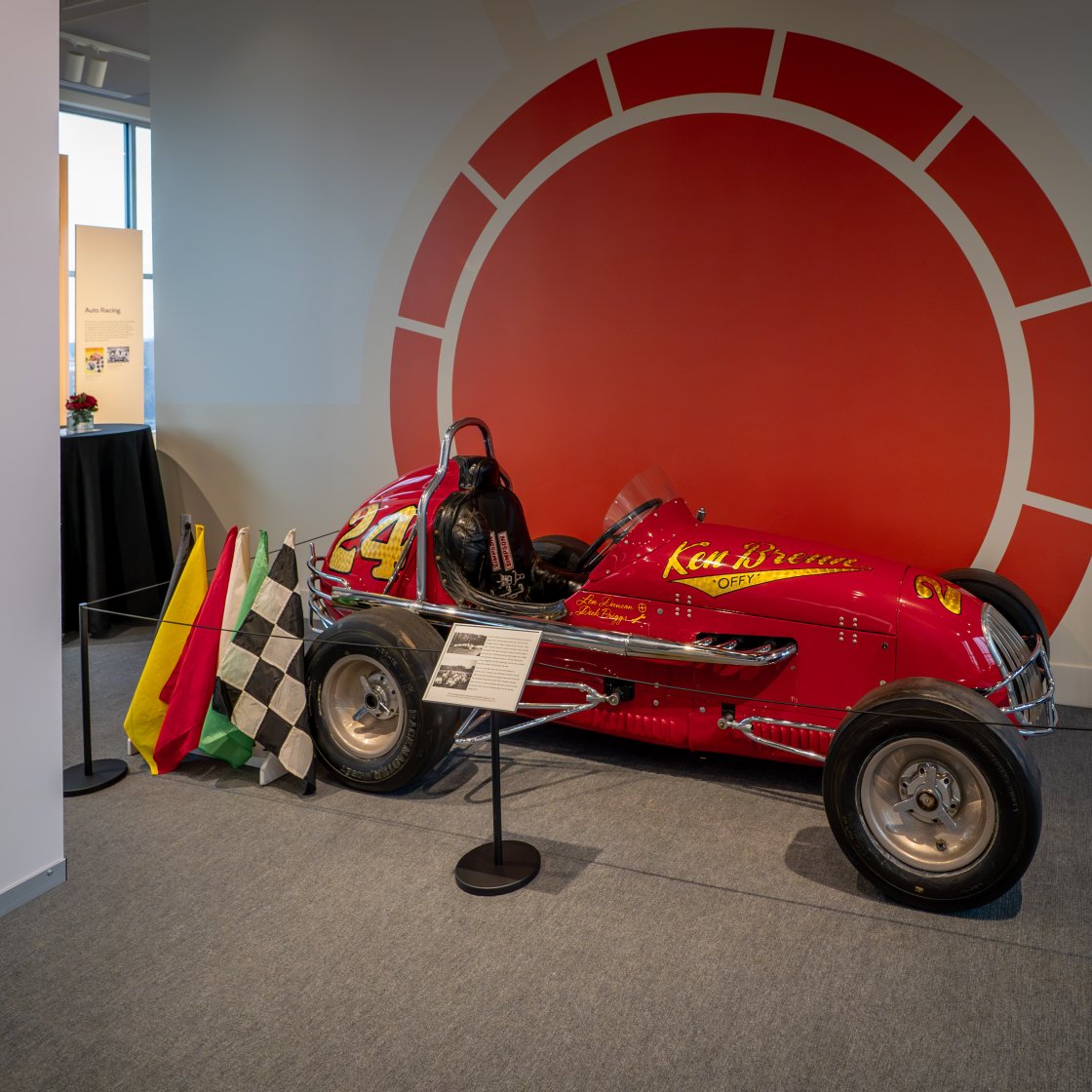
photo of racecar at Muth Museum

Racing Through History: Sphero Speedway at Hinchcliff Stadium

Students will step back in time to when Hinchliffe Stadium hosted thrilling midget-car races. Using Sphero robots, students will design, code, and race mini “cars” around the stadium track. They’ll use measurements and coding skills to calculate speed, distance, and learn to collaborate, problem-solve, and demonstrate sportsmanship—just like the teams who once raced for victory at Hinchliffe!

Audience: Grades 5-12
Racing Through History Learning Objectives & Standards

By the end of the experience, students will be able to:

  • Apply computational thinking to design, code, test, and debug programs that control a Sphero robot.
  • Use mathematics to measure and calculate distance, elapsed time, speed, and race performance.
  • Explore physics concepts related to motion, acceleration, friction, and the factors that influence a robot's movement.
  • Apply the engineering design process by developing a racing strategy, testing performance, and refining solutions.
  • Collect and analyze data to compare race times, evaluate performance, identify patterns, and improve results.
  • Collaborate effectively by sharing responsibilities, communicating ideas, and working toward a common goal.
  • Demonstrate sportsmanship through fair competition, respect for teammates, and constructive responses to success and setbacks.
  • Connect past and present technologies by exploring how robotics and coding relate to the history of automobile racing at Hinchliffe Stadium.
  • Computer Science & Design Thinking — NJSLS 8.1 and 8.2
  • 8.1.5.AP.3 — Algorithms & Programming: Create programs using sequences, events, loops, and conditionals.
  • 8.1.5.AP.4 — Algorithms & Programming: Break down complex problems into smaller, manageable tasks.
  • 8.1.5.AP.6 — Algorithms & Programming: Develop, test, debug, and refine programs through an iterative process.
  • 8.1.5.DA.1 — Data & Analysis: Collect, organize, and display data to identify relationships and support problem-solving.
  • 8.2.5.ED.2 — Engineering Design: Collaborate with peers to brainstorm, solve problems, and evaluate solutions.
  • 8.2.5.ED.6 — Engineering Design: Test and evaluate alternative solutions using criteria, constraints, and trade-offs.
  • Mathematics — NJSLS 5–12
  • 5.MD.A.1 (Grade 5): Convert measurements within a given measurement system to solve real-world problems.
  • 6.RP.A.3 (Grade 6): Use ratio and rate reasoning to solve real-world problems, including calculating speed.
  • 7.RP.A.2 (Grade 7): Recognize and represent proportional relationships between quantities.
  • 8.F.B.4 (Grade 8): Construct functions to model relationships between quantities, such as distance and time.
  • HSF-IF.B.4 (High School): Interpret key features of functions in terms of quantities and their context, such as a robot's motion over time.
  • Science & Engineering — NJSLS-S
  • 3-PS2-1 (Elementary connection): Investigate how balanced and unbalanced forces affect an object's motion.
  • MS-PS2-2 (Middle School): Investigate how forces and an object's mass affect changes in motion.
  • MS-ETS1-3 (Middle School): Analyze test data to compare design solutions and identify improvements.
  • HS-ETS1-3 (High School): Evaluate solutions to complex real-world problems using criteria and constraints.
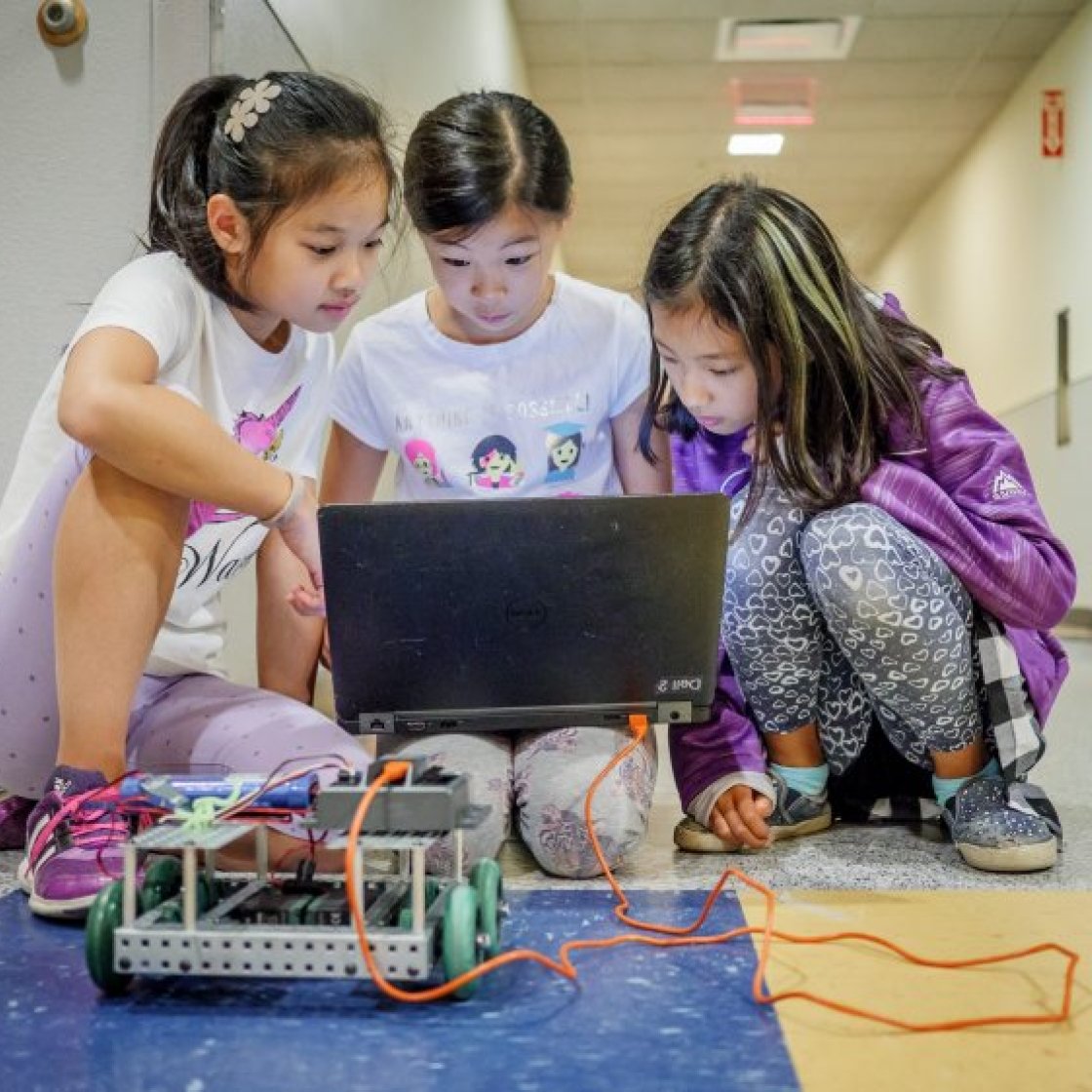
three girls sit at a computer together

Immersive STEM Playground

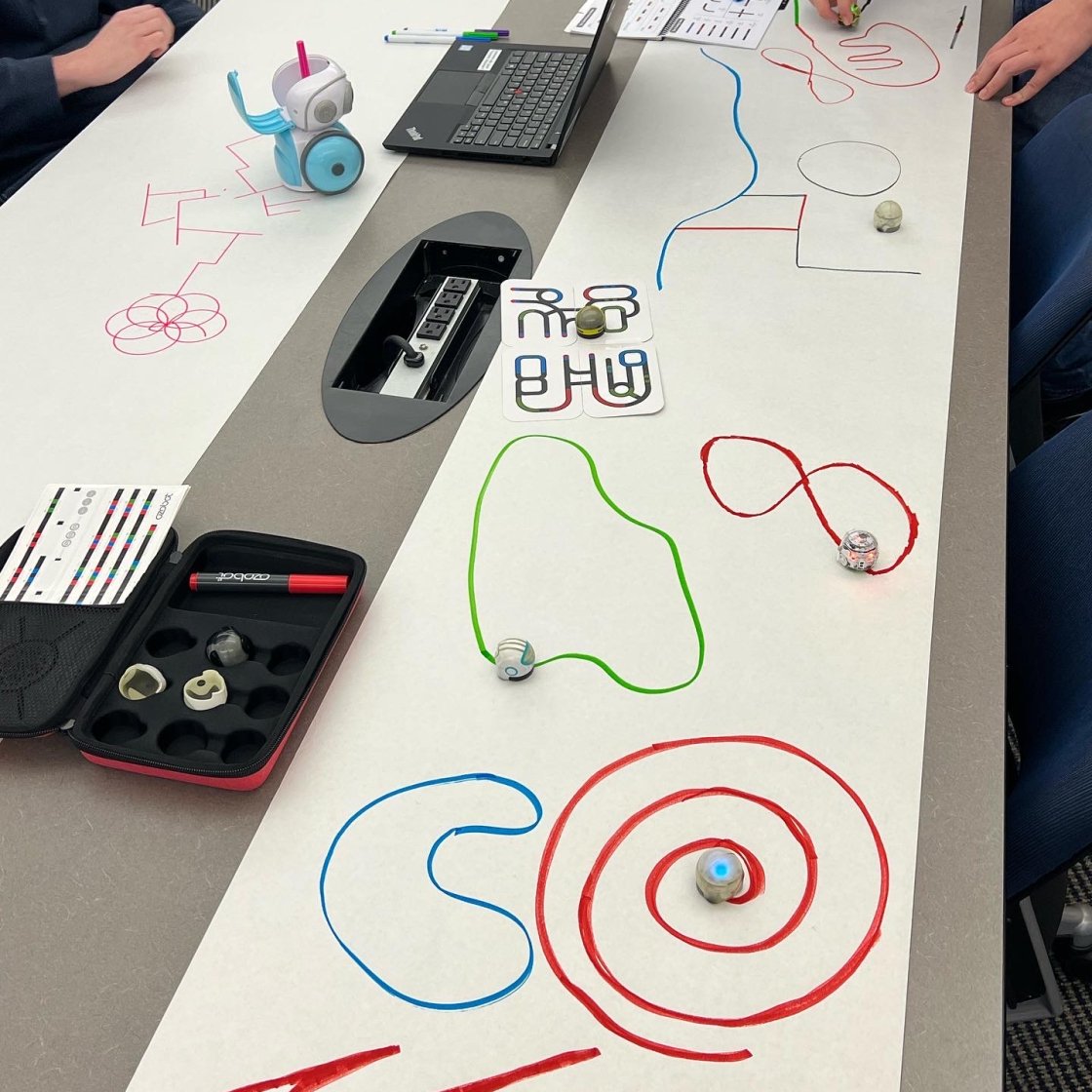
Step into a world of discovery at the Immersive STEM Playground! In this hands-on workshop, students will explore how coding, robotics, and interactive tech tools can spark creativity and support problem-solving. Rotating through engaging stations featuring Makey Makey boards, Spheros, Ozobots, Osmos, and more, participants will experience the power of technology in a fun, supportive environment. The session wraps up with a guided discussion on how these tools can enhance learning in meaningful ways.

Audience: Grades 3-12
Immersive STEM Playground Learning Objectives & Standards

By the end of the experience, students will be able to:

  • Explore coding and computational thinking by creating instructions, identifying patterns, and solving challenges with interactive technology.
  • Experiment with robotics and programming to understand how commands and algorithms control digital and physical actions.
  • Apply creative problem-solving to investigate challenges, test ideas, and develop solutions using different technology tools.
  • Engage in engineering design by experimenting, troubleshooting, and improving solutions through trial and error.
  • Recognize connections between technology and learning by discussing how interactive tools can support creativity, collaboration, and understanding.
  • Collaborate with peers by sharing ideas, communicating strategies, and working together to complete challenges.
  • Develop digital literacy by exploring how hardware, software, sensors, and interactive interfaces work together.
  • Reflect on technology's potential to enhance learning, accessibility, engagement, and real-world problem-solving.
  • Computer Science & Design Thinking — NJSLS 8.1 and 8.2
  • 8.1.5.AP.1 — Algorithms & Programming: Compare and refine multiple algorithms for the same task and determine which is most appropriate.
  • 8.1.5.AP.3 — Algorithms & Programming: Create programs that include sequences, events, loops, and conditionals.
  • 8.1.5.AP.4 — Algorithms & Programming: Break down problems into smaller, manageable sub-problems.
  • 8.1.5.AP.6 — Algorithms & Programming: Develop programs through iterative testing, debugging, and refinement.
  • 8.2.5.ED.2 — Engineering Design: Collaborate with peers to brainstorm ideas, solve problems, and evaluate solutions.
  • 8.2.5.ED.6 — Engineering Design: Evaluate and test alternative solutions using criteria, constraints, and trade-offs.
  • Science & Engineering — NJSLS-S
  • 3-5-ETS1-1 (Grades 3–5): Define a simple design problem reflecting a need or want, including criteria for success and constraints.
  • 3-5-ETS1-2 (Grades 3–5): Generate and compare multiple possible solutions to a problem based on how well each meets the criteria and constraints.
  • MS-ETS1-2 (Grades 6–8): Evaluate competing design solutions using a systematic process to determine how well they meet criteria and constraints.
  • HS-ETS1-3 (Grades 9–12): Evaluate solutions to complex real-world problems based on prioritized criteria and trade-offs.
  • Mathematics — NJSLS-M
  • Mathematical Practices MP1: Make sense of problems and persevere in solving them.
  • Mathematical Practices MP3: Construct viable arguments and critique the reasoning of others.
  • Mathematical Practices MP4: Model with mathematics.
  • Mathematical Practices MP5: Use appropriate tools strategically.
robot coders being used in a classroom

Team Coding Challenge with Sphero

In this hands-on workshop, students team up to design and code a futuristic obstacle course using Sphero SPRK+ robots. Participants will take on specialized roles—Engineer, Mathematician, Programmer, and Designer—as they build a course that tests their robot's durability, accuracy, and problem-solving skills. With real-world coding, teamwork, and creative design challenges, this activity is jam-packed with innovation and fun!

Audience: Grades 5-12

Team Coding Challenge Learning Objectives & Standards

By the end of the experience, students will be able to:

  • Apply computational thinking to develop algorithms and code robotic movements through a series of challenges.
  • Break complex problems into manageable steps and use logical reasoning to develop effective solutions.
  • Apply mathematics through measurement, distance, angles, timing, spatial reasoning, and performance analysis.
  • Use the engineering design process to plan, construct, test, evaluate, and improve an obstacle course.
  • Test, debug, and refine programs based on observations, feedback, and robot performance.
  • Analyze design constraints and trade-offs to improve the robot's accuracy, efficiency, and ability to navigate obstacles.
  • Collaborate in specialized team roles while communicating ideas, sharing responsibilities, and working toward a common goal.
  • Demonstrate creativity and persistence by experimenting with alternative approaches and learning from unsuccessful attempts.
  • Explore STEM career connections in computer science, robotics, engineering, mathematics, and digital design.
  • Computer Science & Design Thinking — NJSLS 8.1 and 8.2
  • 8.1.5.AP.3 — Algorithms & Programming: Create programs that include sequences, events, loops, and conditionals.
  • 8.1.5.AP.4 — Algorithms & Programming: Break down problems into smaller, manageable sub-problems.
  • 8.1.5.AP.6 — Algorithms & Programming: Develop, test, debug, and refine programs through an iterative process.
  • 8.1.5.DA.1 — Data & Analysis: Collect, organize, and display data to identify relationships and support problem-solving.
  • 8.2.5.ED.2 — Engineering Design: Collaborate with peers to brainstorm ideas, solve problems, and evaluate solutions.
  • 8.2.5.ED.4 — Engineering Design: Consider criteria, constraints, resources, and desired features when developing solutions.
  • 8.2.5.ED.6 — Engineering Design: Test and evaluate alternative solutions based on criteria, constraints, and trade-offs.
  • Science & Engineering — NJSLS-S
  • 3-5-ETS1-1 (Elementary connection): Define design problems with criteria for success and constraints.
  • MS-ETS1-2 (Middle School): Evaluate competing design solutions using a systematic process.
  • MS-ETS1-3 (Middle School): Analyze test data to compare design solutions and identify improvements.
  • HS-ETS1-3 (High School): Evaluate solutions to complex real-world problems using prioritized criteria and trade-offs.
  • Mathematics — NJSLS-M
  • Mathematical Practices MP1: Make sense of problems and persevere in solving them.
  • Mathematical Practices MP3: Construct viable arguments and critique the reasoning of others.
  • Mathematical Practices MP4: Model with mathematics.
  • Mathematical Practices MP5: Use appropriate tools strategically.
Close up of WMSC mic in studio.

Media Production - Canva & Podcasting

Discover the power of design with Canva! In this interactive workshop, students will learn how to create stunning graphics, posters, and digital content using Canva’s easy-to-use tools, whether you’re promoting an event, telling a story, or building a presentation. 

Ready to share your voice with the world? In this engaging workshop, students will dive into the world of podcasting—learning how to plan, script, record, and edit their own mini podcast episodes. Using simple tech tools and creative strategies, participants will explore how audio storytelling can inform, entertain, and inspire.

Audience: Grades 4-12

Media Production Learning Objectives & Standards

By the end of the experience, students will be able to:

  • Create digital media using graphic design tools to communicate ideas through visual content, layouts, and presentations.
  • Apply visual design principles including color, typography, composition, and visual hierarchy to create engaging media.
  • Plan and develop a podcast by identifying an audience, selecting a topic, organizing ideas, and writing a script.
  • Practice audio storytelling by recording and editing content to inform, entertain, or inspire an audience.
  • Communicate effectively by adapting messages for different audiences, purposes, and media formats.
  • Use technology creatively and responsibly while considering copyright, attribution, accessibility, and appropriate use of digital assets.
  • Apply critical thinking and revision skills by reviewing media products, incorporating feedback, and improving their work.
  • Collaborate with peers to brainstorm ideas, share production responsibilities, and provide constructive feedback.
  • Explore media-related careers in graphic design, podcasting, journalism, marketing, communications, and digital content creation.

New Jersey Student Learning Standards for Visual & Performing Arts — Media Arts

  • 1.2.5.Cr1a (Grade 5): Generate ideas for media artworks using a variety of tools, methods, and materials.
  • 1.2.5.Cr2a (Grade 5): Develop plans for media artworks through exploration and experimentation.
  • 1.2.8.Cr1a (Grade 8): Generate ideas, goals, and solutions for original media artworks using a variety of methods.
  • 1.2.8.Cr3a (Grade 8): Implement production processes to refine and complete media artworks.
  • 1.2.12.Cr3a (High School): Apply constructive feedback, revisions, and production processes to refine media artworks.
  • New Jersey Student Learning Standards for English Language Arts — NJSLS-ELA
  • W.5.6 (Grade 5): Use technology to produce and publish writing and interact and collaborate with others.
  • SL.5.5 (Grade 5): Include multimedia components and visual displays in presentations to enhance main ideas or themes.
  • W.8.6 (Grade 8): Use technology to produce and publish writing and present relationships between information and ideas.
  • SL.8.5 (Grade 8): Integrate multimedia and visual displays into presentations to clarify information and emphasize key points.
  • W.11-12.6 (High School): Use technology to produce, publish, and update individual or shared writing products in response to ongoing feedback.
  • New Jersey Student Learning Standards for Computer Science & Design Thinking
  • 8.1.5.IC.1 — Impacts of Computing: Identify computing technologies that have changed the world and express how those technologies influence, and are influenced by, cultural practices.
  • 8.1.5.DA.1 — Data & Analysis: Collect, organize, and display data to highlight relationships and support problem-solving.

Questions? Contact Us!