[Phish Alert] Submission: Remote Personal Assistant Application
This phishing email impersonates Montclair Career Advising and promotes a fake remote job using an external sender, a blank message body, and a malicious Word attachment (.dot file) designed to appear legitimate. It uses university branding and “too good to be true” pay to lure users into opening files or sharing personal information.

What This Email Looks Like
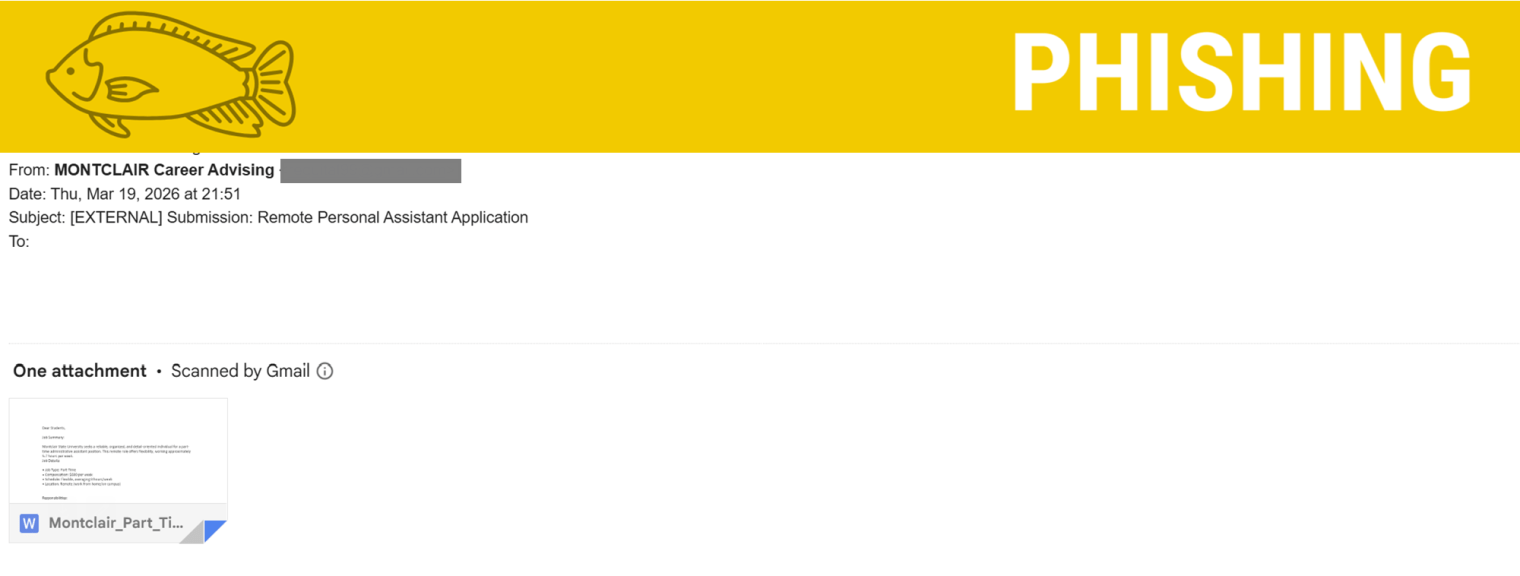
- Sender Name: “MONTCLAIR Career Advising” (external sender)
- Subject Line Examples: “Submission: Remote Personal Assistant Application”
- Email Body: Blank or minimal content
- Attachment: Montclair_Part_Time_Opportunities.dot (Microsoft Word file)
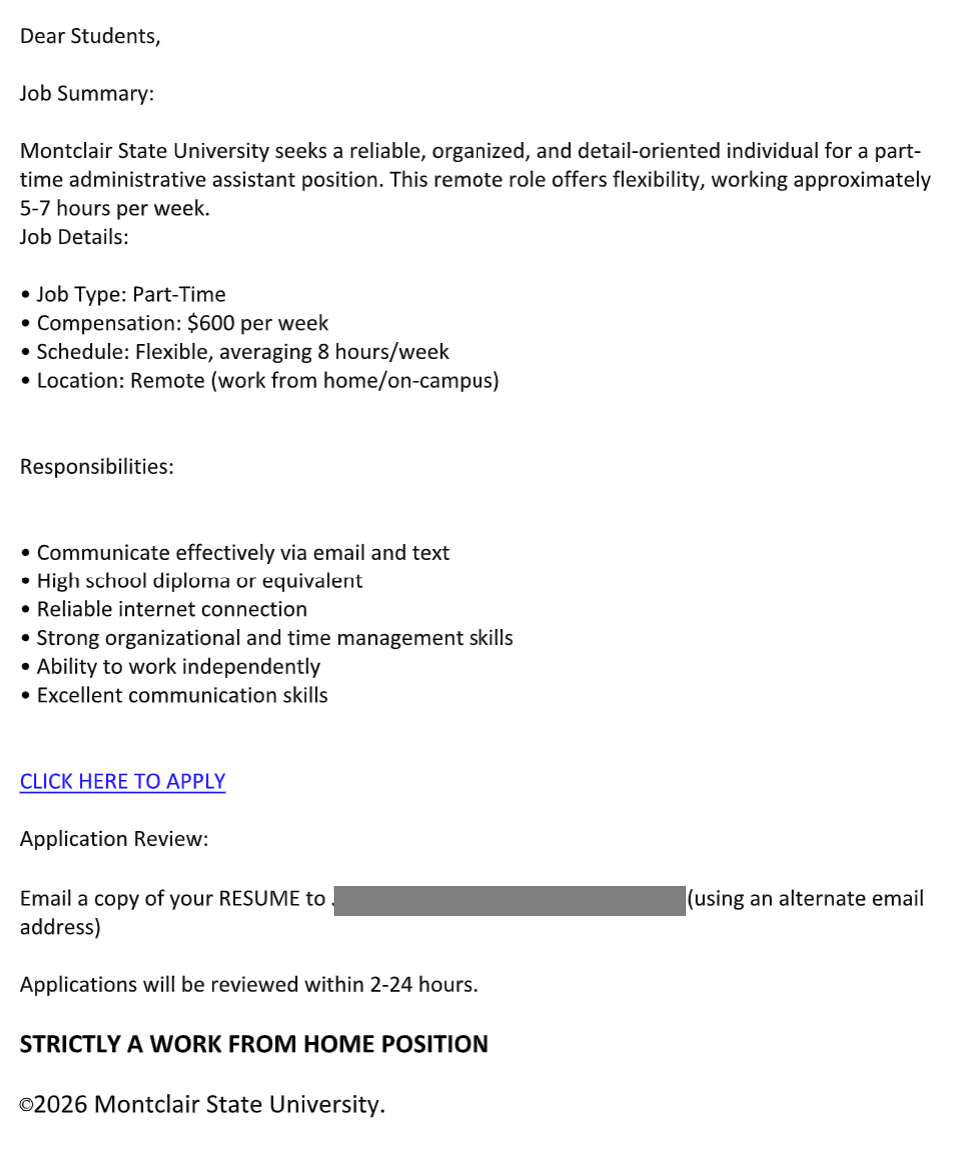
The attachment claims to offer a flexible, high-paying remote job and encourages recipients to apply quickly.
Why This Email Might Look Legitimate
- Uses the university name and branding language
- Appears to come from a career advising office
- Promotes a flexible, work-from-home job, which is common for students
- Lists realistic-sounding responsibilities and qualifications
- Includes a professional-looking format inside the document
These details are designed to lower your guard and make the opportunity seem credible.
How We Know It’s a Phish
- External sender: The email is not coming from an official Montclair account
- Blank email body: Legitimate departments don’t send empty messages with only attachments
- Suspicious attachment (.dot file): This is a Word template file type often used to deliver malware
- Too-good-to-be-true pay: $600/week for minimal hours is a common scam tactic
- Requests off-platform communication: Asking you to email a resume to an external address
- “Use an alternate email address”: A major red flag—legitimate employers do not require this
- Dead or suspicious links: The “Click Here to Apply” link does not lead to a valid university page
What Happens If You Click the Link or Open the Attachment
- Malware could be installed on your device through the Word file
- You may be prompted to enable macros, which can give attackers control of your system
- Your personal information (resume, contact details) could be harvested for scams or identity theft
- Attackers may follow up to request banking details or payments
Even if the link appears broken, the file itself may still pose a risk.
What You Should Do
- Do not open the attachment or click any links
- Report it using the Phish Alert Button (PAB)
- Remember:
- IT will never ask for your password or Duo codes
- Legitimate campus jobs will not require you to use a personal email to apply
- All Montclair jobs can be found on Handshake
Additional Notes
- Remember: Information Technology will never text you. We will also never request your password or Duo codes, ever.
- Information Technology will not ask you to verify accounts or submit passwords through unofficial forms or unexpected email links.
- Do you think you’ve fallen for a scam? Did you share personal information? Downloaded malicious content? Please contact the IT Service Desk.
- Use the Knowbe4 Phish Alert Button (PAB) to report malicious emails directly to the Information Security team for review. If you are not using the Gmail client please forward the email to phishfiles@montclair.edu.
Always use the “hover over” technique to check web links before clicking! For more security tips please visit the Phish Files!
- Published