[Phish Alert] Report Submitted for Your Course (Multiple Similar Subjects)
This article explains how a phishing email impersonates Montclair State University by using a fake department name and a counterfeit login page to steal credentials and Duo codes.

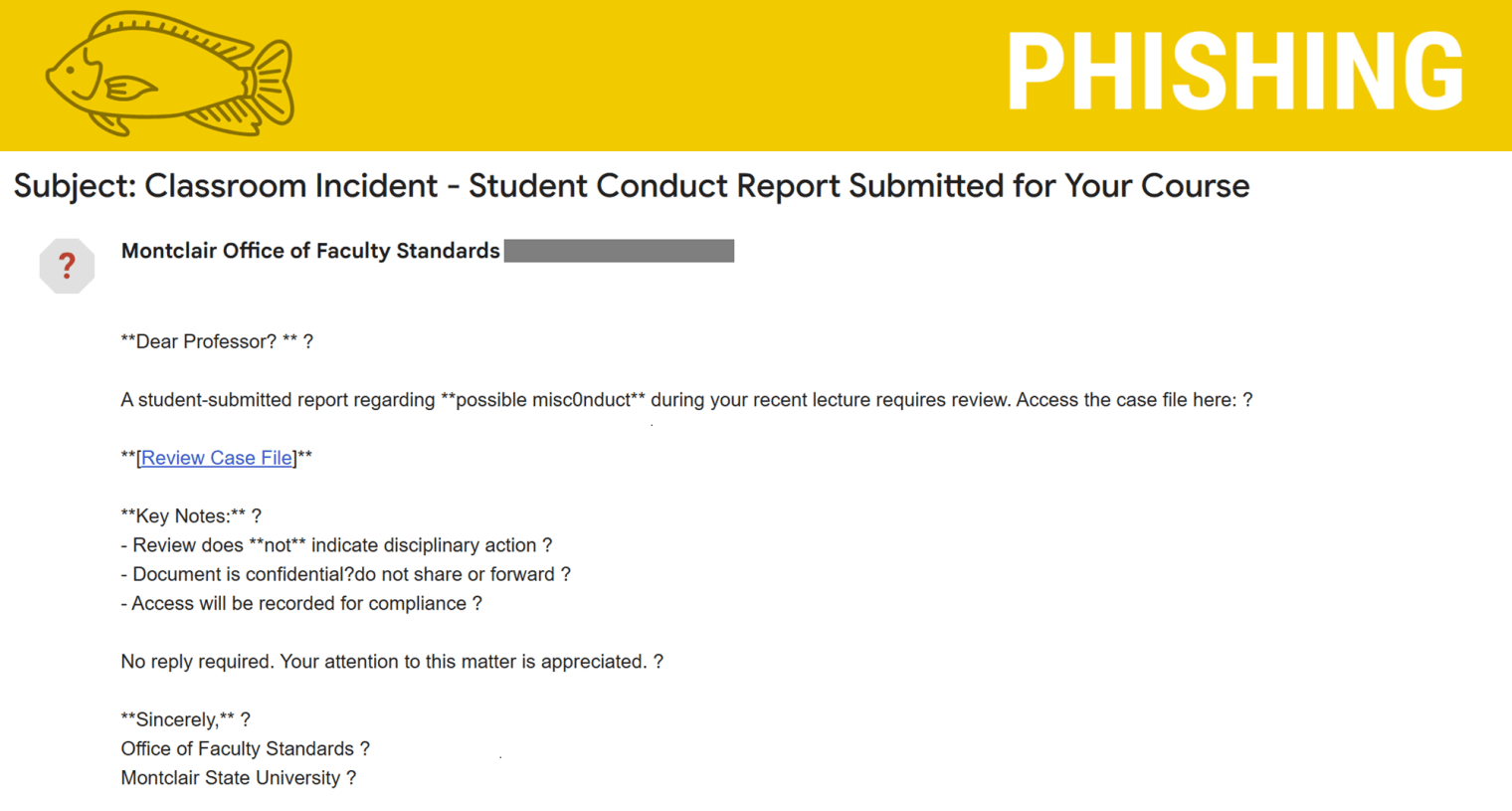
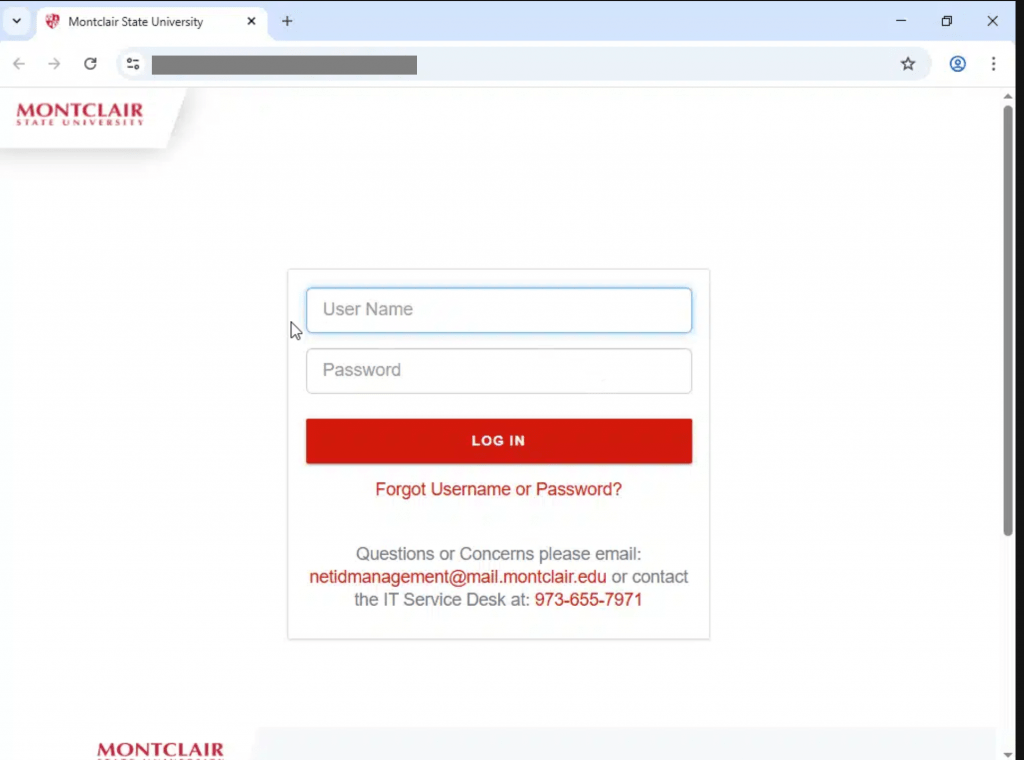
Why this looks valid:
- Email says it’s coming from Montclair Office of Faculty Standards
- When the link is clicked it shows the Montclair State University login page.
Why this is phishing?
- Montclair Office of Faculty Standards is not a legitimate department.
Phishing emails often use strange punctuation to sneak past spam filters or hide their true intent. Watch out for things like:
- Extra spaces (like this !)
- Random CAPS or !!!
- Dashes—or ellipses…everywhere
- Replacing letters with symbols (like @pple or l0gin)
These tricks might look weird to you — because they are. Trust your gut and don’t click suspicious links or reply.
- Link is not to a Montclair State University website.
- Hover over the link (don’t click!)
- Look at the URL that pops up
- Does it match the site you expect? Or is it weird, misspelled, or full of random characters?
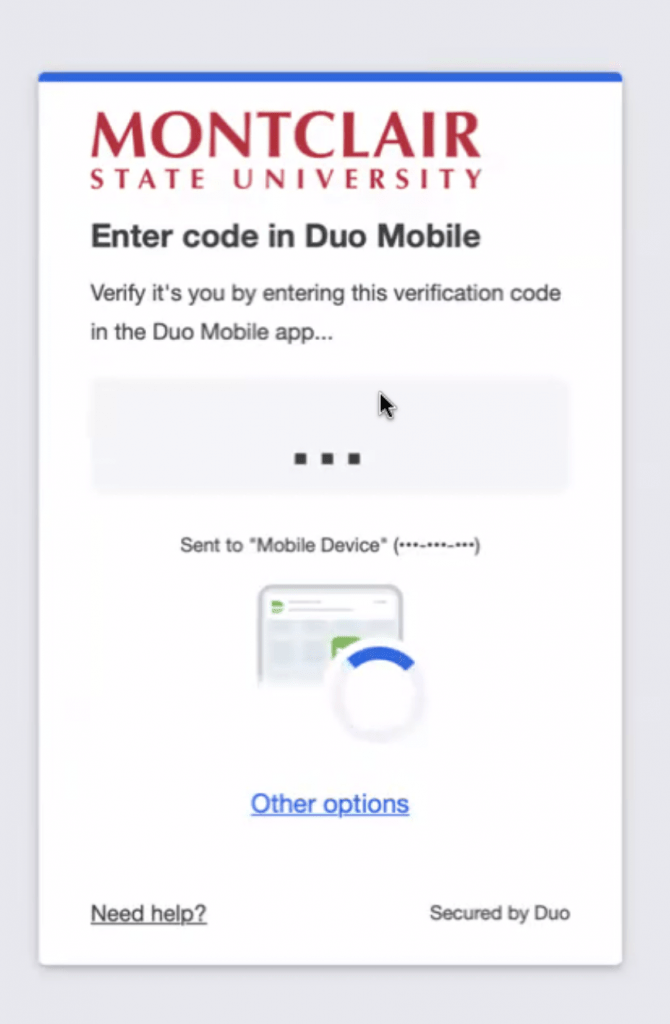
Fake Duo Code Page
- A Duo prompt appears after you enter your credentials.
- The Duo screen asks for a code and begins cycling through multiple numbers automatically — this is not normal.
If Duo behaves strangely or you’re unsure about the login page, stop and report it immediately.
Additional Notes
- Remember: Information Technology will never text you. We will also never request your password or Duo codes, ever.
- Information Technology will not ask you to verify accounts or submit passwords through unofficial forms or unexpected email links.
- Do you think you’ve fallen for a scam? Did you share personal information? Downloaded malicious content? Please contact the IT Service Desk.
- Use the Knowbe4 Phish Alert Button (PAB) to report malicious emails directly to the Information Security team for review. If you are not using the Gmail client please forward the email to phishfiles@montclair.edu.
Always use the “hover over” technique to check web links before clicking! For more security tips please visit the Phish Files!
- Published