
[Phish Alert] Fake University Requests Deliver Malicious Downloads
Members of the campus community are receiving fake emails that appear to come from university offices, including the Office of the Registrar and OIRE. The emails ask recipients to click a link for things like a headcount or other university business. The link does not lead to a real university form. Instead, it tries to download a suspicious file.

Members of the campus community are receiving phishing emails that appear to come from university offices. The emails use familiar university topics to make the messages look legitimate and encourage recipients to click a link.
What Happened
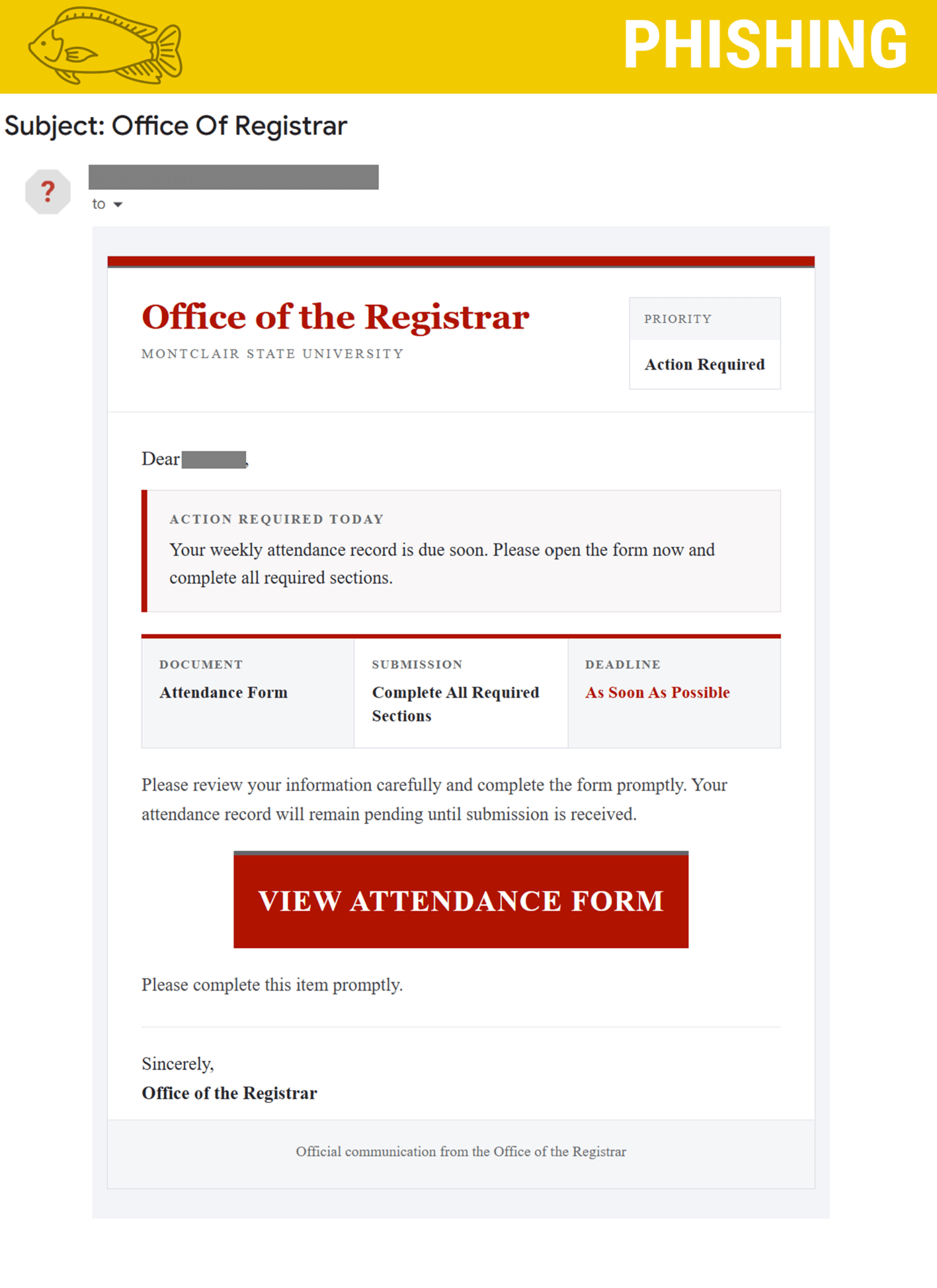
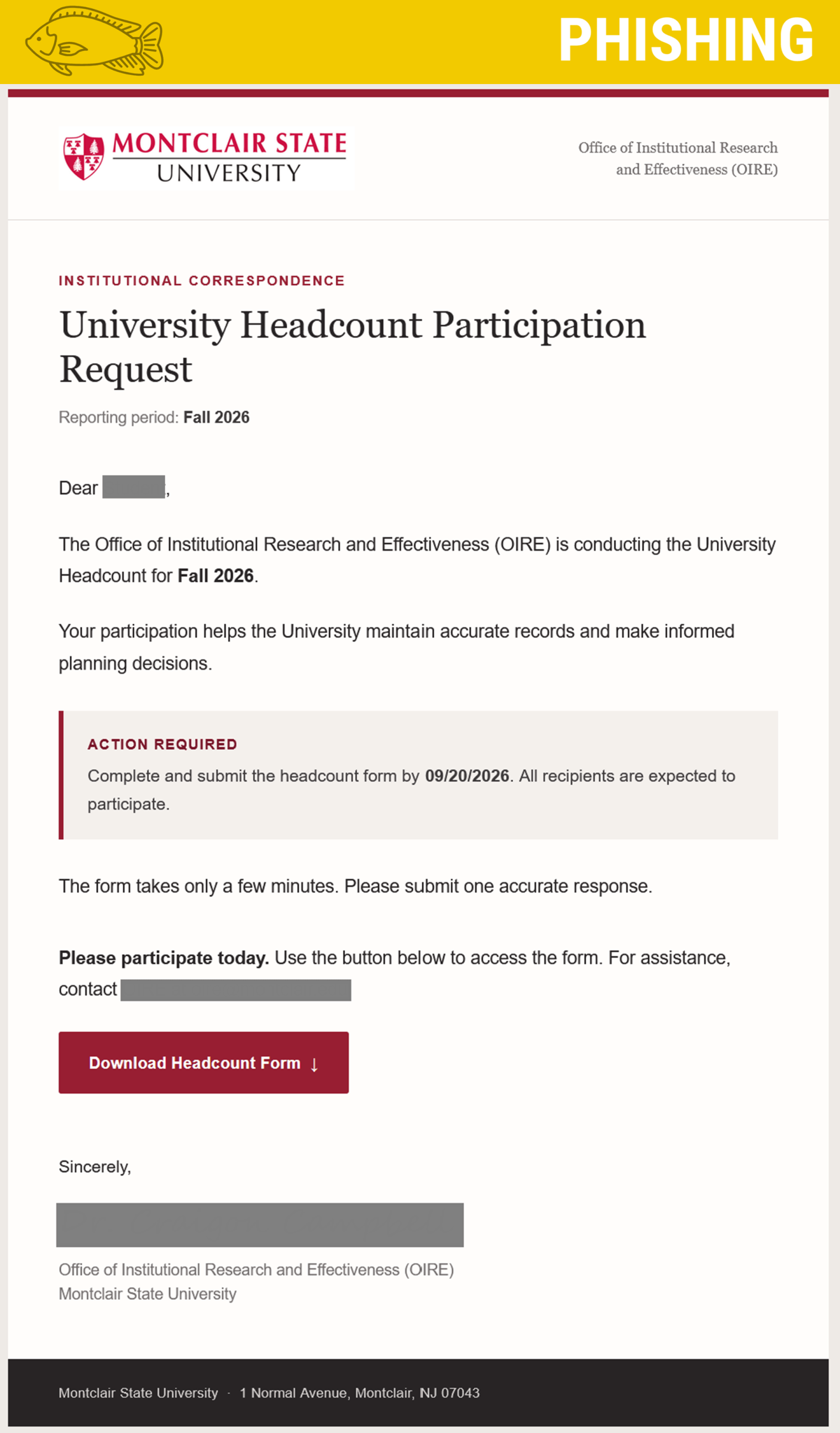
The phishing emails appear to come from offices such as the Office of the Registrar and the Office of Institutional Research and Effectiveness (OIRE).
The messages use different subjects and requests. One email appears to be related to the Registrar, while another asks recipients to complete the Fall 2026 University Headcount.
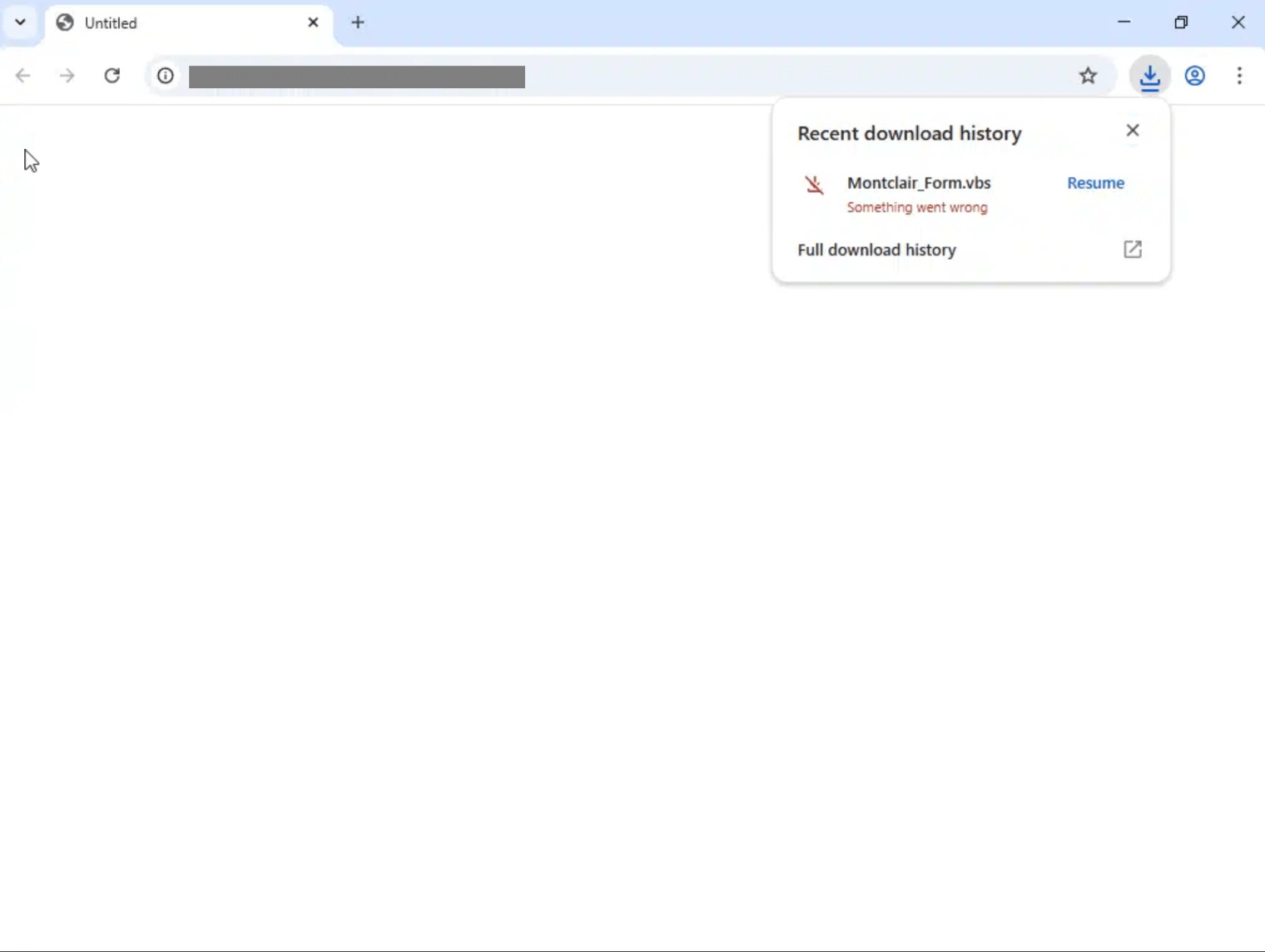
Both emails include a link but instead of taking recipients to a legitimate university webpage or form, the link leads to a suspicious website that attempts to download a file called Montclair_Form.vbs.
How It Looks Legitimate
The emails are designed to look like normal university communications.
They use:
- Familiar university offices and terminology
- Realistic university-related requests
- Specific instructions and deadlines
- Language that makes the request sound routine and important
For example, the OIRE email says the university is conducting its Fall 2026 Headcount and asks recipients to complete the form by a specific date.
These details can make the email seem trustworthy. However, a message that looks official can still be a phishing scam.
How We Know It's a Phish
The biggest warning sign is what happens when you follow the link.
Instead of opening an expected university form, the link leads to a suspicious website that attempts to download a .vbs file.
Other warning signs include:
- An unexpected request to click a link
- A link that does not lead to the expected Montclair website
- An unexpected file download
- A request that asks you to take action without verifying the message
When an unexpected email asks you to click a link or download something, stop and check before you act.
What Happens If You Click the Link?
The link takes you to a webpage that attempts to download the suspicious file.
Your browser or security software may block the download, but you should not open or run the file if it is downloaded.
A .vbs file is a type of script that can run commands on a Windows computer and can be used to deliver malware.
If you clicked the link, don't panic. report it via the Phish Alert Button (PAB) or by emailing phishfiles@montclair.edu.
If you downloaded or opened the file, email phishfiles@montclair.edu.
What To Do
If You Receive the Email
- Don't click the link.
- Don't download or open any files.
- Report the email using the PAB or by emailing phishfiles@montclair.edu.
- Delete the message after reporting it.
If You Clicked the Link
Do not open or run anything that was downloaded.
If You Opened the File
Contact the Phish Files immediately and tell them what happened. Follow their instructions for next steps.
When in Doubt, Stop and Check
Phishing emails can look like they come from legitimate university offices. Before clicking a link or downloading a file, take a moment to verify the message.
If something seems unexpected, stop, check, and report it.
Additional Notes
- Remember: IT will never ask for your password or Duo codes, ever.
- Information Technology will not ask you to verify accounts or submit passwords through unofficial forms or unexpected email links.
- Do you think you’ve fallen for a scam? Did you share personal information? Downloaded malicious content? Please contact the IT Service Desk.
- Use the Knowbe4 Phish Alert Button (PAB) to report malicious emails directly to the Information Security team for review. If you are not using the Gmail client please forward the email to phishfiles@montclair.edu.
- Don't have the PAB? Contact the Phish Files and let us know! We will be able to assist with getting you access.
Always use the “hover over” technique to check web links before clicking! For more security tips please visit the Phish Files!
- Published
- Type
- Topic

