[Phish Alert] Email Maintenance
This article explains how phishing emails impersonate Montclair IT by using official-looking branding, vague subject lines, and spoofed sender addresses to trick users into clicking links that lead to fake login pages. It highlights key warning signs such as generic greetings, inconsistent contact details, and changing subject lines, all designed to steal user credentials.

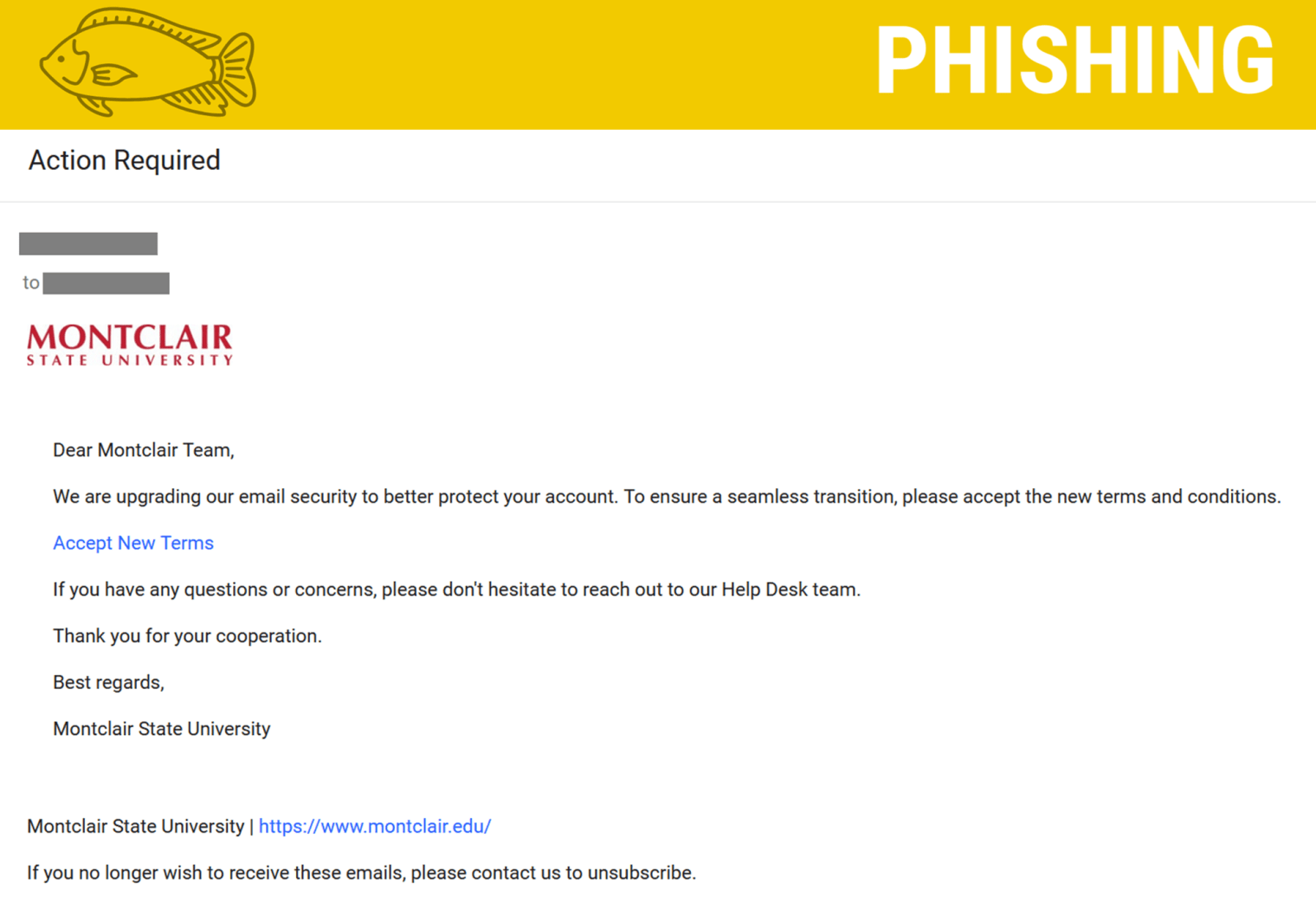
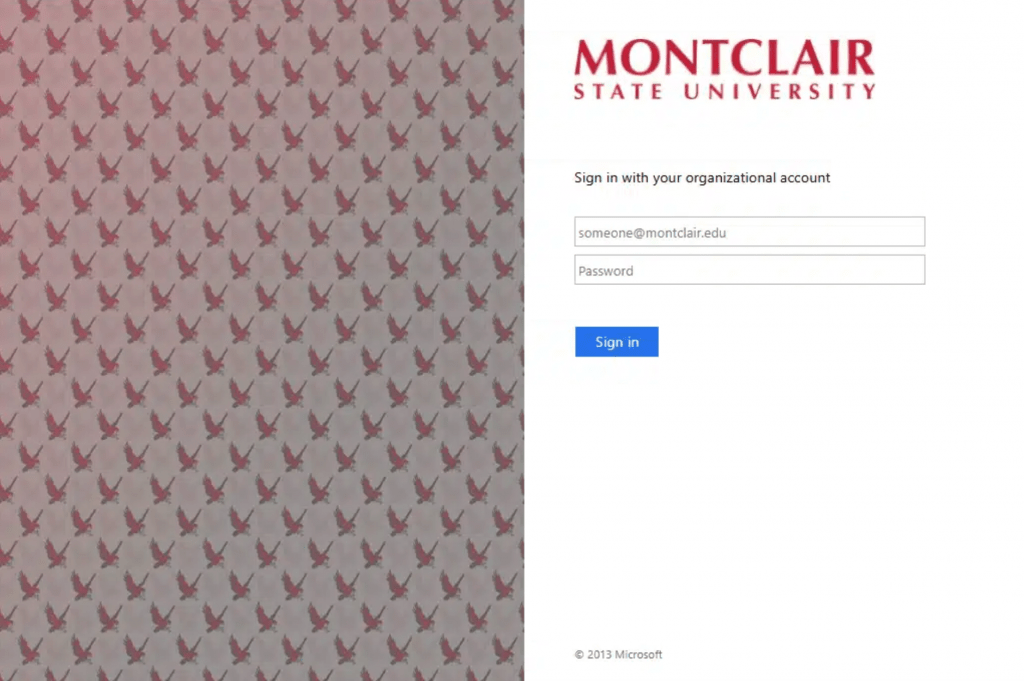
Why this looks valid:
- Email contains Montclair logo
- Includes link to the MSU website
- Some of the emails state they’re coming from the IT Service Desk/Help Desk
Why this is phishing?
- Link goes to a fake login page in order for attacker to obtain credentials.
- The greeting is very vague, “Dear Montclair Team”.
- Sender’s email address changes and also attempts to spoof the IT Service Desk.
- The subject always changes and is vague:
- Must Read
- Action Required
- Important Update
- Email Maintenance
- No contact information for the IT Service Desk
Additional Notes
- Remember: Information Technology will never text you. We will also never request your password or Duo codes, ever.
- Information Technology will not ask you to verify accounts or submit passwords through unofficial forms or unexpected email links.
- Do you think you’ve fallen for a scam? Did you share personal information? Downloaded malicious content? Please contact the IT Service Desk.
- Use the Knowbe4 Phish Alert Button (PAB) to report malicious emails directly to the Information Security team for review. If you are not using the Gmail client please forward the email to phishfiles@montclair.edu.
Always use the “hover over” technique to check web links before clicking! For more security tips please visit the Phish Files!
- Published