
[Phish Alert] myMontclair Mail MFA
This article explains a phishing email that impersonates MSU and uses official-looking branding, including references to 2FA and Microsoft, to appear legitimate.

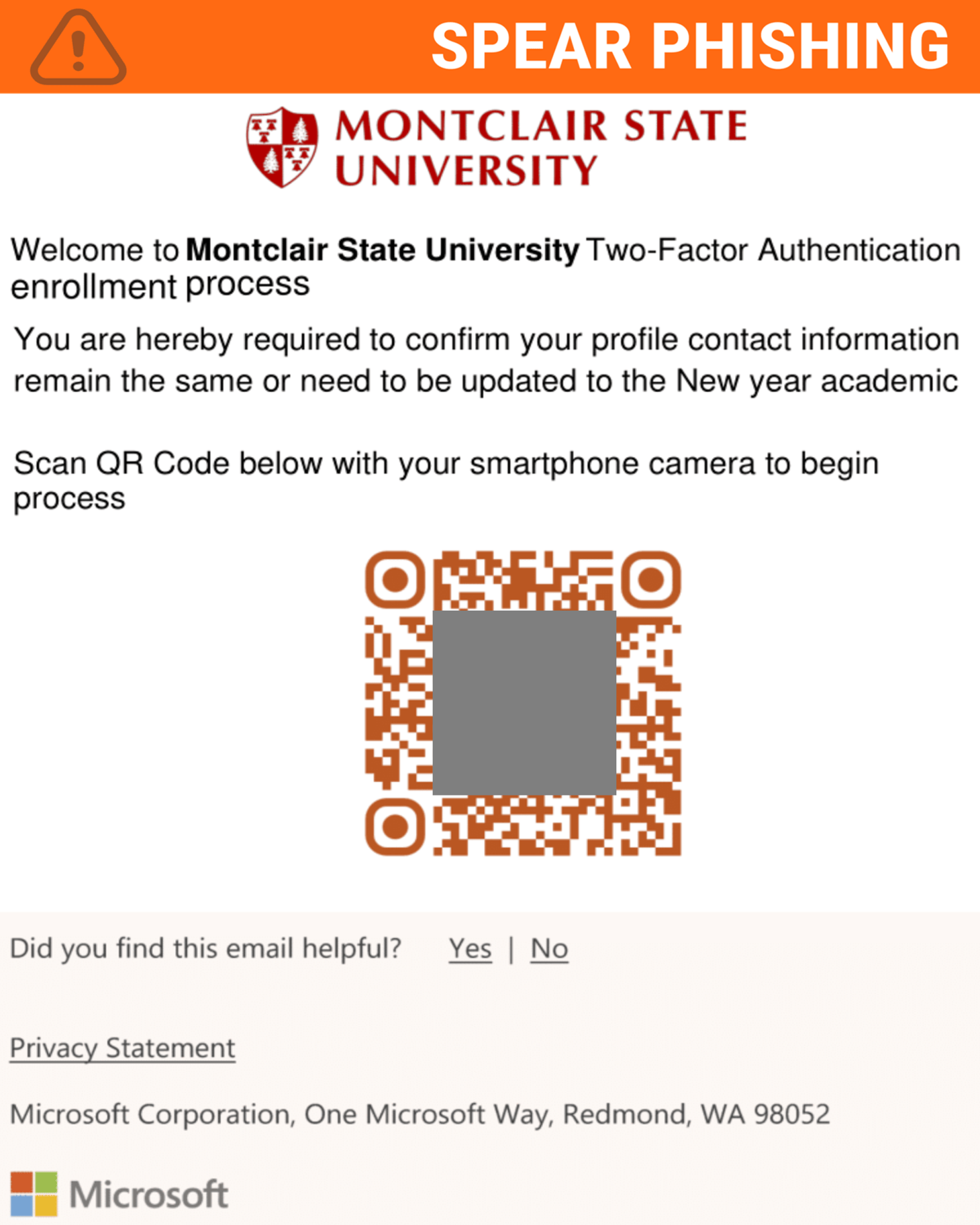
Why this looks valid:
- Email has the Montclair logo
- Discusses 2 Factor Authentication (2FA) enrollment process
- Has Microsoft branding at the bottom
Why this is phishing?
- Email was not coming from the Montclair email domain
- Link attached to the QR Code is not related to Montclair State University
- Attacker is using a sense of urgency tactic leading individuals to believe this process has a timeframe
Additional Notes
- Remember: Information Technology will never text you. We will also never request your password or Duo codes, ever.
- Information Technology will not ask you to verify accounts or submit passwords through unofficial forms or unexpected email links.
- Do you think you’ve fallen for a scam? Did you share personal information? Downloaded malicious content? Please contact the IT Service Desk.
- Use the Knowbe4 Phish Alert Button (PAB) to report malicious emails directly to the Information Security team for review. If you are not using the Gmail client please forward the email to phishfiles@montclair.edu.
Always use the “hover over” technique to check web links before clicking! For more security tips please visit the Phish Files!
- Published
- Type
- Topic

