[Phish Alert] JOB OFFER FOR STUDENT AND STAFF
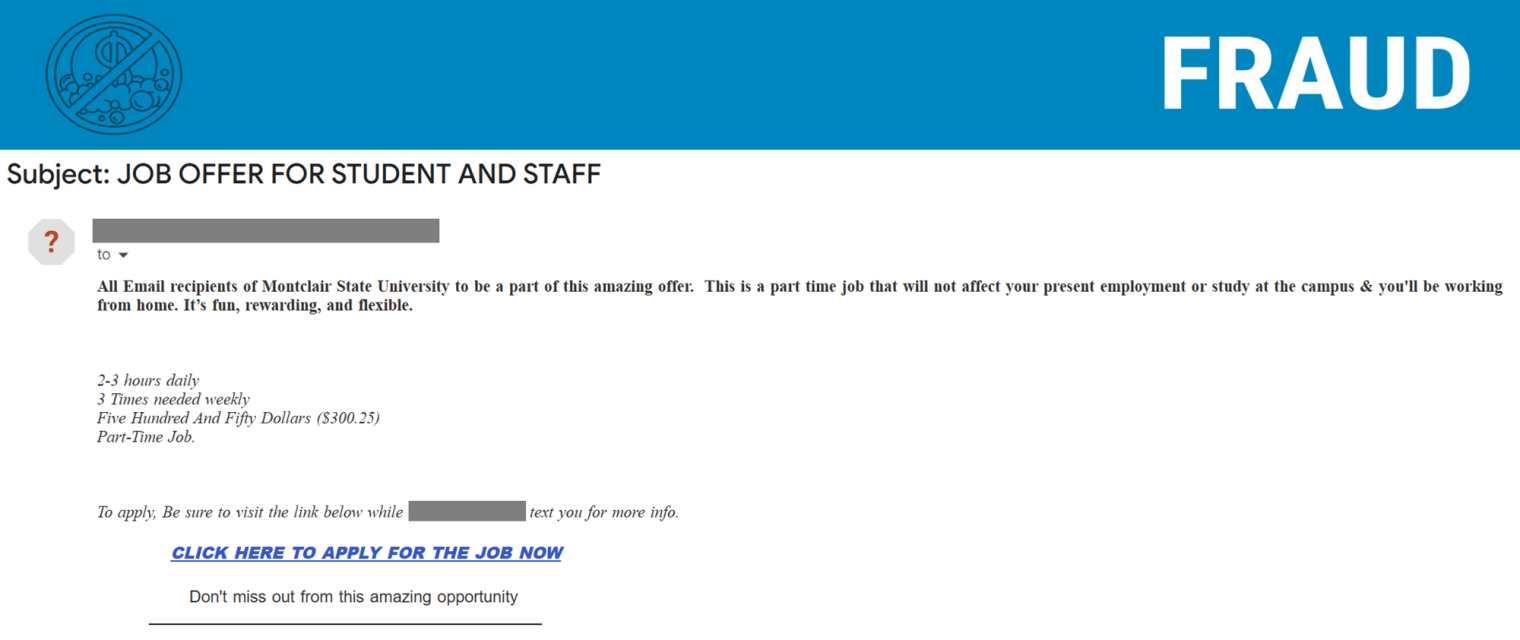
This phishing email uses a trusted-looking university address, appealing job offers, and urgent language to encourage quick action.

Why this looks valid:
- Trusted Sender: It comes from a @montclair.edu email address, making it look like a real internal message from the university.
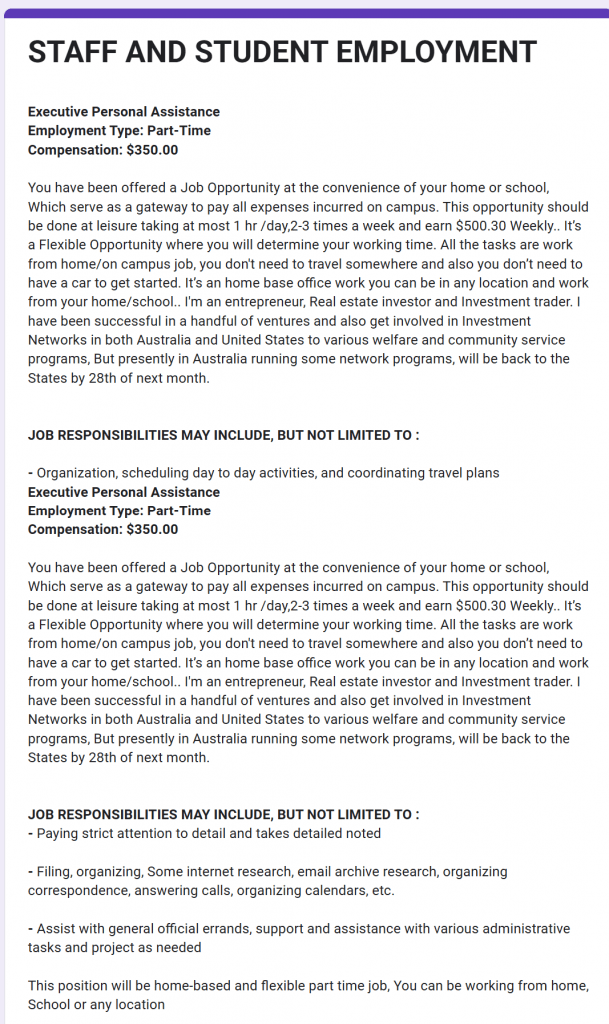
- Great Deal: It offers an easy, work-from-home job with high pay, appealing directly to users who need money and flexible hours.
- Pressure to Act: It uses urgent language (“Don’t miss out”) to make you click the link fast before you stop to check if it’s real.
Why this is phishing?
- Inconsistent Pay: The email states “$550” and “($300.25)” in the same line. Legitimate job offers do not have contradictory pay rates.
- Vague Job Details: The job is described generically as “fun, rewarding, and flexible” with no mention of specific duties, the hiring department, or the actual position title.
- Unprofessional Contact: It directs you to apply via a link and wait for a text from a generic name.
- Suspicious Link: A legitimate university job would link to an official HR portal, not a generic, unsecured “CLICK HERE TO APPLY NOW” link.
- Poor Grammar/Formatting: The capitalization, excessive spacing, and overly informal tone are typical hallmarks of mass phishing attempts.
- Urgency and Pressure: The language is designed to create a panicked sense of urgency (“Don’t miss out”) to make you click without thinking.
Additional Notes
- Remember: Information Technology will never text you. We will also never request your password or Duo codes, ever.
- Information Technology will not ask you to verify accounts or submit passwords through unofficial forms or unexpected email links.
- Do you think you’ve fallen for a scam? Did you share personal information? Downloaded malicious content? Please contact the IT Service Desk.
- Use the Knowbe4 Phish Alert Button (PAB) to report malicious emails directly to the Information Security team for review. If you are not using the Gmail client please forward the email to phishfiles@montclair.edu.
Always use the “hover over” technique to check web links before clicking! For more security tips please visit the Phish Files!
- Published