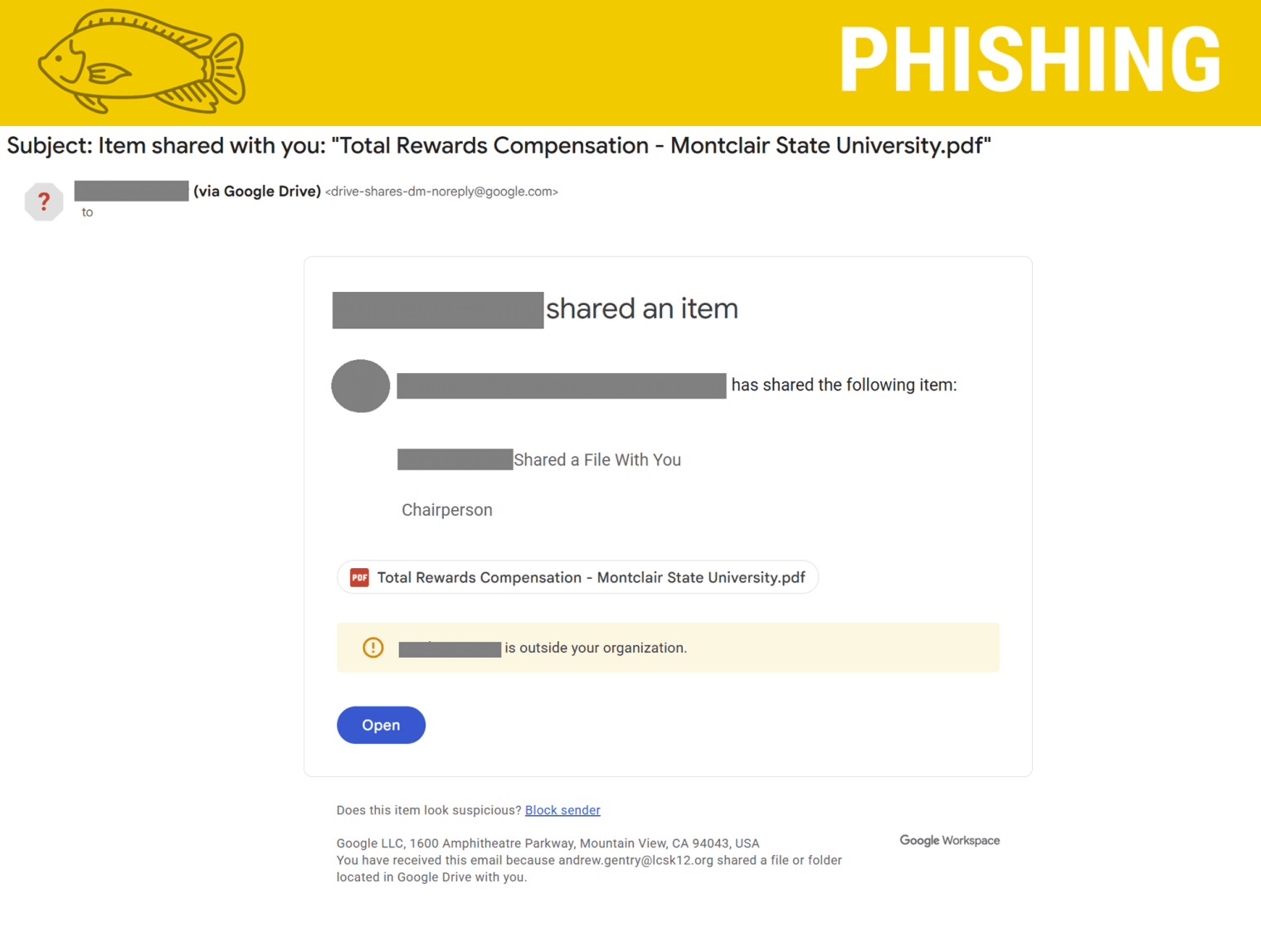
[Phish Alert] Item shared with you: “Total Rewards Compensation – Montclair State University.pdf”
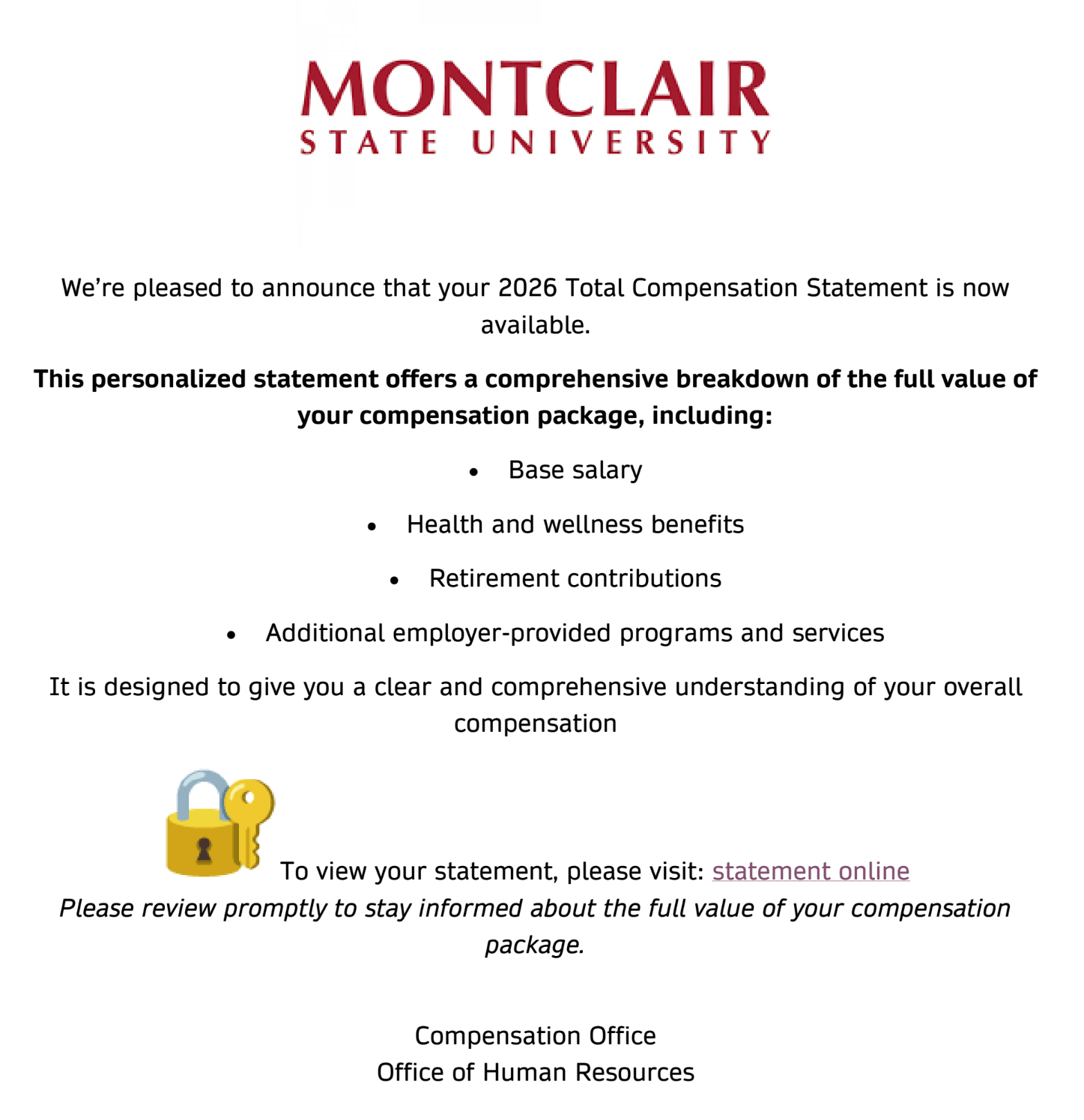
This phishing message impersonates a “2026 Total Compensation Statement” shared via Google Docs and uses familiar HR-related content and real employee names to appear legitimate.

Why This Looks Legitimate
- It references a “2026 Total Compensation Statement,” which sounds like a legitimate HR document.
- The message appears as a Google Doc share, a tool commonly used for collaboration.
- The document includes real Montclair employees’ names in the comments/notes, making it look like others are already reviewing it.
- It mentions salary, benefits, and retirement contributions, topics that are typically handled by Human Resources.
These details are meant to make the document feel routine and credible.
Signs It’s a Phishing Attempt
Even though the message looks professional, there are several warning signs:
- Unexpected document share – Compensation statements are not typically distributed through shared Google Docs.
- External sender – The document originates from an account outside the university.
- Generic message – The document does not include your name, department, or employee ID.
- Suspicious link inside the document – The text “statement online” is a clickable link rather than directing users to an official HR system.
- Use of real names in comments – Attackers sometimes include real employee names to make the document appear legitimate.
What Happens If You Click the Link
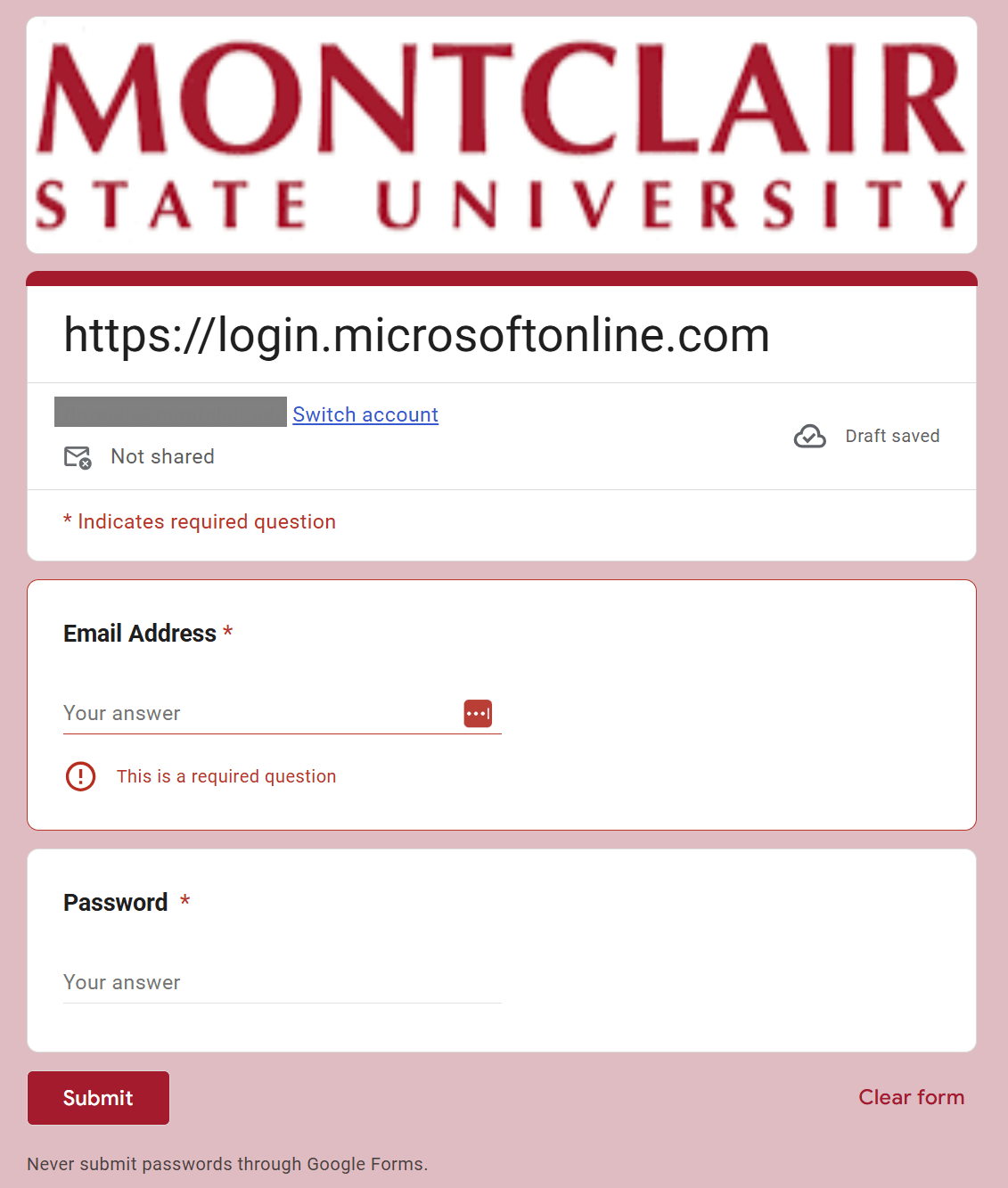
The link in the document does not lead to a legitimate compensation statement.
Instead, it redirects users to a malicious form requesting university login credentials. These forms are designed to capture usernames and passwords and send them directly to attackers.
Once credentials are submitted, attackers may be able to:
- Access your university email and files (including Workday)
- Send phishing messages from your account
- Attempt to access other university systems tied to your login
What To Do If You Interacted With It
If you clicked the link or entered your credentials, take action immediately:
- Change your university password right away.
- Do not click the link in the document.
- Report the email or document using the Phish Alert Button.
Additional Notes
- Remember: Information Technology will never text you. We will also never request your password or Duo codes, ever.
- Information Technology will not ask you to verify accounts or submit passwords through unofficial forms or unexpected email links.
- Do you think you’ve fallen for a scam? Did you share personal information? Downloaded malicious content? Please contact the IT Service Desk.
- Use the Knowbe4 Phish Alert Button (PAB) to report malicious emails directly to the Information Security team for review. If you are not using the Gmail client please forward the email to phishfiles@montclair.edu.
Always use the “hover over” technique to check web links before clicking! For more security tips please visit the Phish Files!
- Published