
[Phish Alert] Email Account Shutdown (Office 365)
This article explains a smishing attack that impersonates the IT Service Desk by using text messages about account deactivation and authentication codes to appear legitimate.

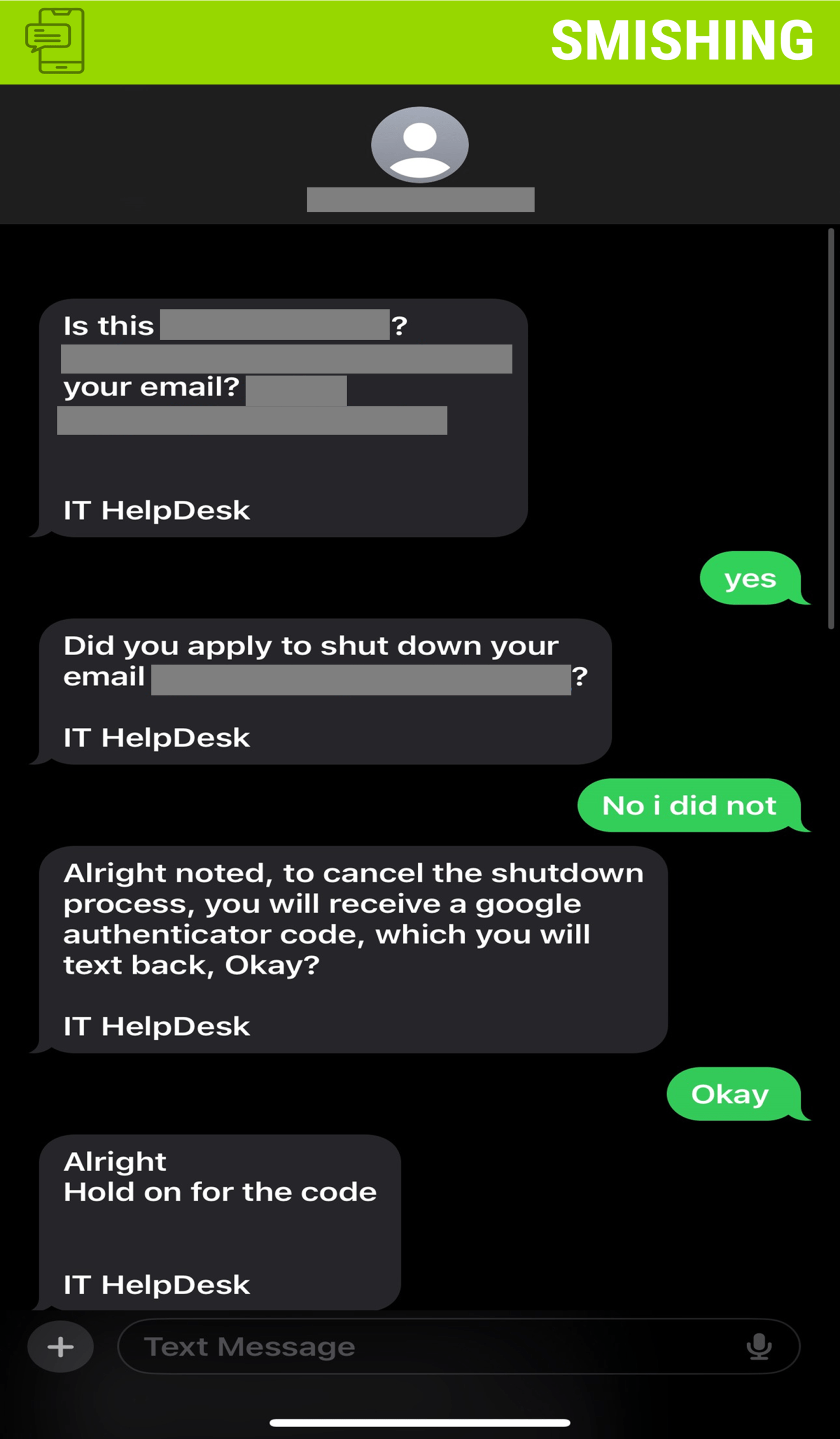
Why this looks valid:
- Text message says it’s from the IT Service Desk
- A previous Office 365 email had gone out regarding account deactivation
- Text message points to an authentication code via Google
Why this is phishing?
- MSU will not text the campus community unless it is associated with emergency messages via Rave Mobile.
- The IT Service Desk will never request any Two-Factor Authentication (2FA) codes.
- Attacker is creating a sense of urgency by stating the individual will lose their email account.
Additional Notes
- Remember: Information Technology will never text you. We will also never request your password or Duo codes, ever.
- Information Technology will not ask you to verify accounts or submit passwords through unofficial forms or unexpected email links.
- Do you think you’ve fallen for a scam? Did you share personal information? Downloaded malicious content? Please contact the IT Service Desk.
- Use the Knowbe4 Phish Alert Button (PAB) to report malicious emails directly to the Information Security team for review. If you are not using the Gmail client please forward the email to phishfiles@montclair.edu.
Always use the “hover over” technique to check web links before clicking! For more security tips please visit the Phish Files!
- Published
- Type
- Topic

