[Phish Alert] E-ZPass Final Reminder
This article explains how to recognize and respond to E-ZPass phishing (smishing) scams, where attackers send fake payment texts from random numbers or emails to trick users into clicking malicious links.

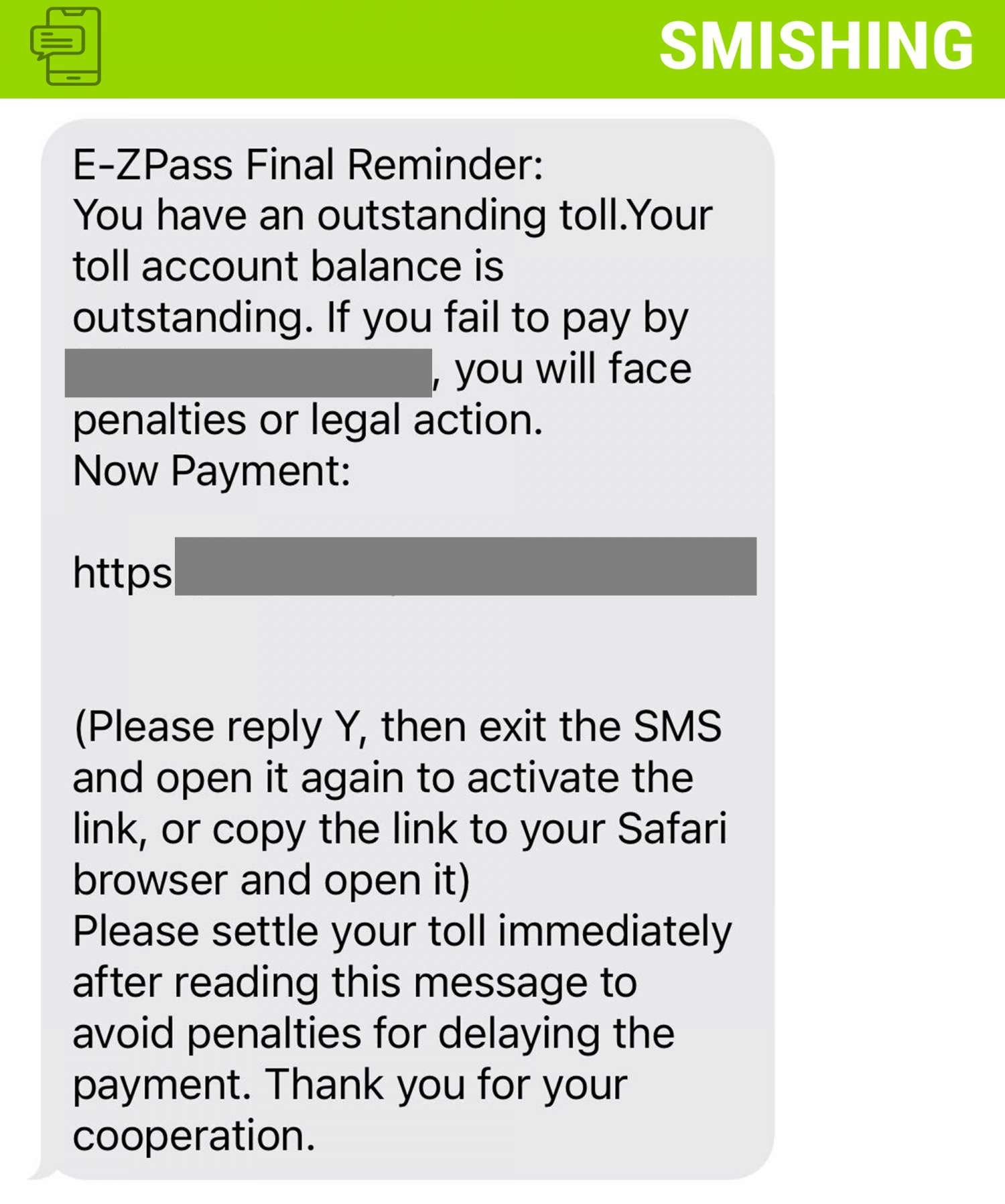
Why this is phishing?
- E-ZPass will never text you for payment
- Sender is either a random phone number (10 digit) or email address
What You Might Get From E‑ZPass (Legit)
- Account balance/replenishment reminders via SMS (if you opted in).
- Legitimate messages from short codes, like 65397 (NJ), which corresponds to the identifier “NJEZP”.
- Emails or official mailed notices—not SMS demanding payment.
If You Receive a Suspicious E‑ZPass‑Style Text:
- Don’t reply or click any links.
- Check for short‑code (e.g., 65397). If it isn’t one, be cautious.
- Report it as spam/Junk via your phone or forward to 7726.
- Verify your account balance by logging into the official website or app, not via text link. https://www.ezpassnj.com/
Additional Notes
- Remember: Information Technology will never text you. We will also never request your password or Duo codes, ever.
- Information Technology will not ask you to verify accounts or submit passwords through unofficial forms or unexpected email links.
- Do you think you’ve fallen for a scam? Did you share personal information? Downloaded malicious content? Please contact the IT Service Desk.
- Use the Knowbe4 Phish Alert Button (PAB) to report malicious emails directly to the Information Security team for review. If you are not using the Gmail client please forward the email to phishfiles@montclair.edu.
Always use the “hover over” technique to check web links before clicking! For more security tips please visit the Phish Files!
- Published